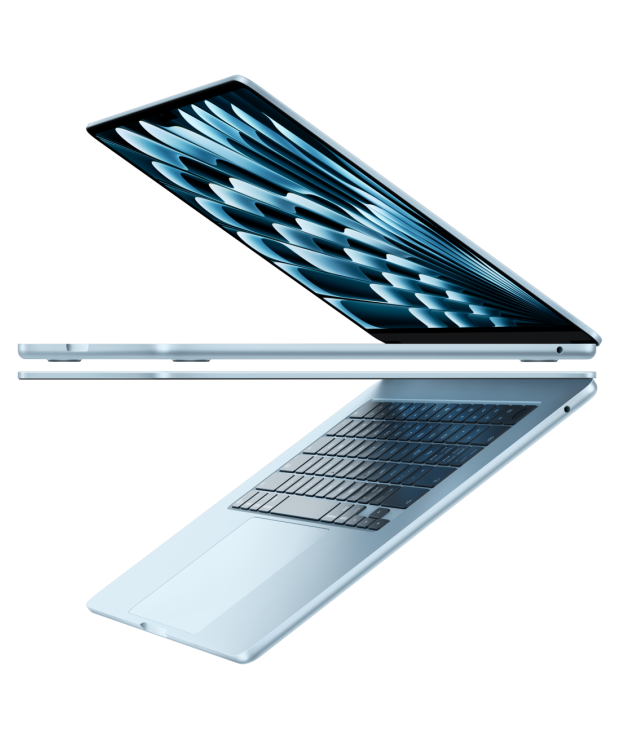
原图

fable xhigh 画出来的
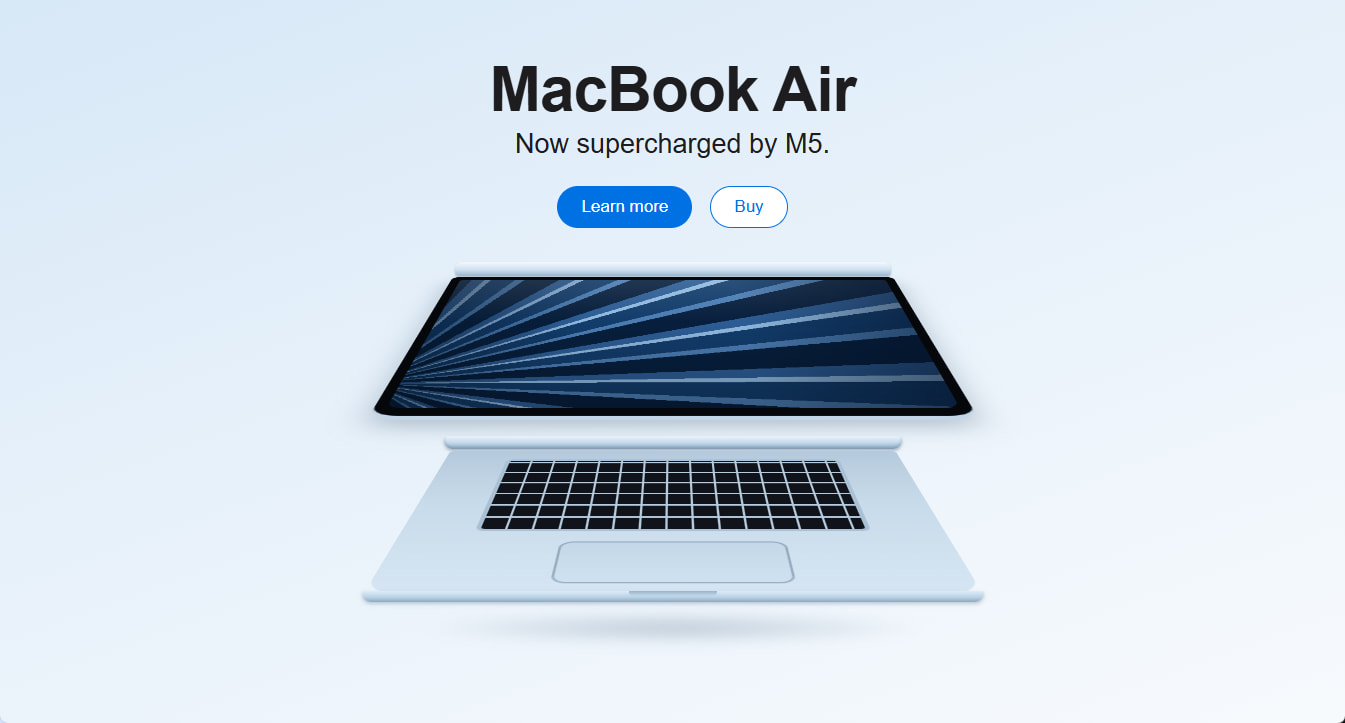
<!DOCTYPE html>
<html lang="zh-CN">
<head>
<meta charset="UTF-8">
<meta name="viewport" content="width=device-width, initial-scale=1.0">
<title>MacBook Air</title>
<style>
  * { margin: 0; padding: 0; box-sizing: border-box; }

  html {
    min-height: 100%;
    background: linear-gradient(160deg, #d7e8f7 0%, #e7f1fa 45%, #f7fafd 100%);
  }
  body {
    font-family: -apple-system, BlinkMacSystemFont, "SF Pro Display",
                 "Helvetica Neue", "PingFang SC", Arial, sans-serif;
    min-height: 100vh;
    overflow-x: hidden;
  }

  /* ---------- 文案区 ---------- */
  .hero { text-align: center; padding-top: 54px; }
  .hero h1 {
    font-size: 62px;
    font-weight: 700;
    letter-spacing: -0.015em;
    color: #1d1d1f;
  }
  .hero .sub {
    font-size: 27px;
    font-weight: 400;
    color: #1d1d1f;
    margin-top: 4px;
  }
  .cta { margin-top: 26px; display: flex; justify-content: center; gap: 18px; }
  .btn {
    display: inline-block;
    font-size: 17px;
    line-height: 1.2;
    border-radius: 980px;
    text-decoration: none;
    cursor: pointer;
  }
  .btn-fill { background: #0071e3; color: #fff; padding: 11px 24px; }
  .btn-fill:hover { background: #0077ed; }
  .btn-line {
    background: #fff;
    color: #0071e3;
    border: 1px solid #0071e3;
    padding: 10px 23px;
  }
  .btn-line:hover { background: #f0f7fd; }

  /* ---------- 两台 MacBook 的舞台 ---------- */
  .stage {
    position: relative;
    width: 780px;
    height: 440px;
    margin: 34px auto 60px;
  }
  .stage > * { position: absolute; left: 50%; transform: translateX(-50%); }

  /* 地面投影 */
  .shadow {
    top: 342px;
    width: 720px;
    height: 48px;
    background: radial-gradient(50% 50% at 50% 50%,
                rgba(96, 122, 148, 0.35), rgba(96, 122, 148, 0) 70%);
    filter: blur(6px);
  }

  /* ===== 上面一台:倒扣打开的 MacBook(可见屏幕) ===== */

  /* 机身底壳,侧视只剩一条 */
  .base-sliver {
    top: 0;
    width: 436px;
    height: 14px;
    border-radius: 7px 7px 4px 4px;
    background: linear-gradient(180deg, #f4f9fd 0%, #cfe0f0 55%, #9db7ce 100%);
    box-shadow: 0 1px 2px rgba(70, 95, 120, 0.35);
  }

  /* 屏幕:用 3D 透视做出向观众摊开的梯形 */
  .screen3d {
    top: 15px;
    width: 440px;
    height: 165px;
    perspective: 1000px;
    perspective-origin: 50% 0%;
  }
  .screen {
    width: 440px;
    height: 300px;
    transform-origin: 50% 0;
    transform: rotateX(70deg);
    background: #05070b;                      /* 黑色边框 */
    padding: 9px 9px 12px;
    border-radius: 8px 8px 20px 20px;
    border-bottom: 6px solid #c2d6e8;          /* 铝合金外壳露出的一条边 */
    box-shadow: 0 12px 26px rgba(80, 105, 130, 0.35);
  }

  /* 屏幕壁纸:蓝色羽扇状渐变 */
  .wallpaper {
    position: relative;
    width: 100%;
    height: 100%;
    border-radius: 4px 4px 12px 12px;
    overflow: hidden;
    background:
      linear-gradient(105deg, rgba(4, 20, 40, 0.55) 0%, transparent 32%),
      repeating-conic-gradient(from -55deg at -6% 85%,
        #071f3d   0deg  7deg,
        #2c5c94   7deg  10deg,
        #8fb8de  10deg  11.5deg,
        #123c6b  11.5deg 17deg,
        #4a7cb2  17deg  19deg),
      #0a2c52;
  }
  .wallpaper::after {
    content: "";
    position: absolute;
    inset: 0;
    background:
      linear-gradient(270deg, rgba(3, 15, 35, 0.45), rgba(3, 15, 35, 0) 35%),
      linear-gradient(180deg,
        rgba(255, 255, 255, 0.10),
        rgba(255, 255, 255, 0) 40%,
        rgba(0, 0, 0, 0.25));
  }

  /* ===== 下面一台:正放打开的 MacBook(可见键盘) ===== */

  /* 几乎平躺的屏幕背面,只露出一条 */
  .lid-sliver {
    top: 174px;
    width: 458px;
    height: 13px;
    border-radius: 4px 4px 9px 9px;
    background: linear-gradient(180deg, #ecf4fb 0%, #c5daec 50%, #93aec7 100%);
    box-shadow: 0 2px 3px rgba(50, 70, 90, 0.35),
                inset 0 -2px 3px rgba(60, 85, 110, 0.25);
  }

  /* C 面(键盘面),同样用 3D 透视摊平 */
  .deck3d {
    top: 189px;
    width: 445px;
    height: 165px;
    perspective: 1000px;
    perspective-origin: 50% 0%;
  }
  .deck {
    position: relative;
    width: 445px;
    height: 300px;
    transform-origin: 50% 0;
    transform: rotateX(70deg);
    border-radius: 6px 6px 24px 24px;
    background: linear-gradient(180deg, #b4c9dc 0%, #c8dbea 45%, #d5e5f3 100%);
  }

  /* 键盘:深色底 + 浅色缝隙画出键帽网格,透视后自带近大远小 */
  .keys {
    position: absolute;
    top: 24px;
    left: 60px;
    right: 60px;
    height: 168px;
    border-radius: 8px;
    border: 4px solid #aac0d4;                 /* 键盘凹槽边缘 */
    background-color: #10141a;
    background-image:
      repeating-linear-gradient(90deg, transparent 0 20px, #b6cbdd 20px 22px),
      repeating-linear-gradient(0deg,  transparent 0 23px, #b6cbdd 23px 26px);
  }

  .trackpad {
    position: absolute;
    top: 212px;
    left: 132px;
    right: 132px;
    height: 72px;
    border-radius: 12px;
    background: linear-gradient(180deg, #c3d7e8, #cfe2f1);
    box-shadow: inset 0 0 0 2px rgba(90, 115, 140, 0.45);
  }

  /* 机身前缘,带开盖凹槽 */
  .front-bar {
    top: 329px;
    width: 622px;
    height: 11px;
    border-radius: 3px 3px 13px 13px;
    background: linear-gradient(180deg, #ddecf8 0%, #b7cfe3 60%, #8ca8c1 100%);
    box-shadow: 0 2px 4px rgba(70, 95, 120, 0.3);
  }
  .front-bar::after {
    content: "";
    position: absolute;
    top: 0;
    left: 50%;
    transform: translateX(-50%);
    width: 88px;
    height: 5px;
    border-radius: 0 0 10px 10px;
    background: linear-gradient(180deg, #99b3c9, #c4d9ea);
  }

  /* 小屏幕整体缩放 */
  @media (max-width: 820px) {
    .hero h1 { font-size: 44px; }
    .hero .sub { font-size: 21px; }
    .stage {
      transform: scale(0.55);
      transform-origin: top center;
      height: 250px;
    }
  }
</style>
</head>
<body>

  <section class="hero">
    <h1>MacBook Air</h1>
    <p class="sub">Now supercharged by M5.</p>
    <div class="cta">
      <a class="btn btn-fill" href="#">Learn more</a>
      <a class="btn btn-line" href="#">Buy</a>
    </div>
  </section>

  <div class="stage">
    <div class="shadow"></div>

    <!-- 上:倒扣打开的 MacBook -->
    <div class="base-sliver"></div>
    <div class="screen3d">
      <div class="screen">
        <div class="wallpaper"></div>
      </div>
    </div>

    <!-- 下:正放打开的 MacBook -->
    <div class="lid-sliver"></div>
    <div class="deck3d">
      <div class="deck">
        <div class="keys"></div>
        <div class="trackpad"></div>
      </div>
    </div>
    <div class="front-bar"></div>
  </div>

</body>
</html>