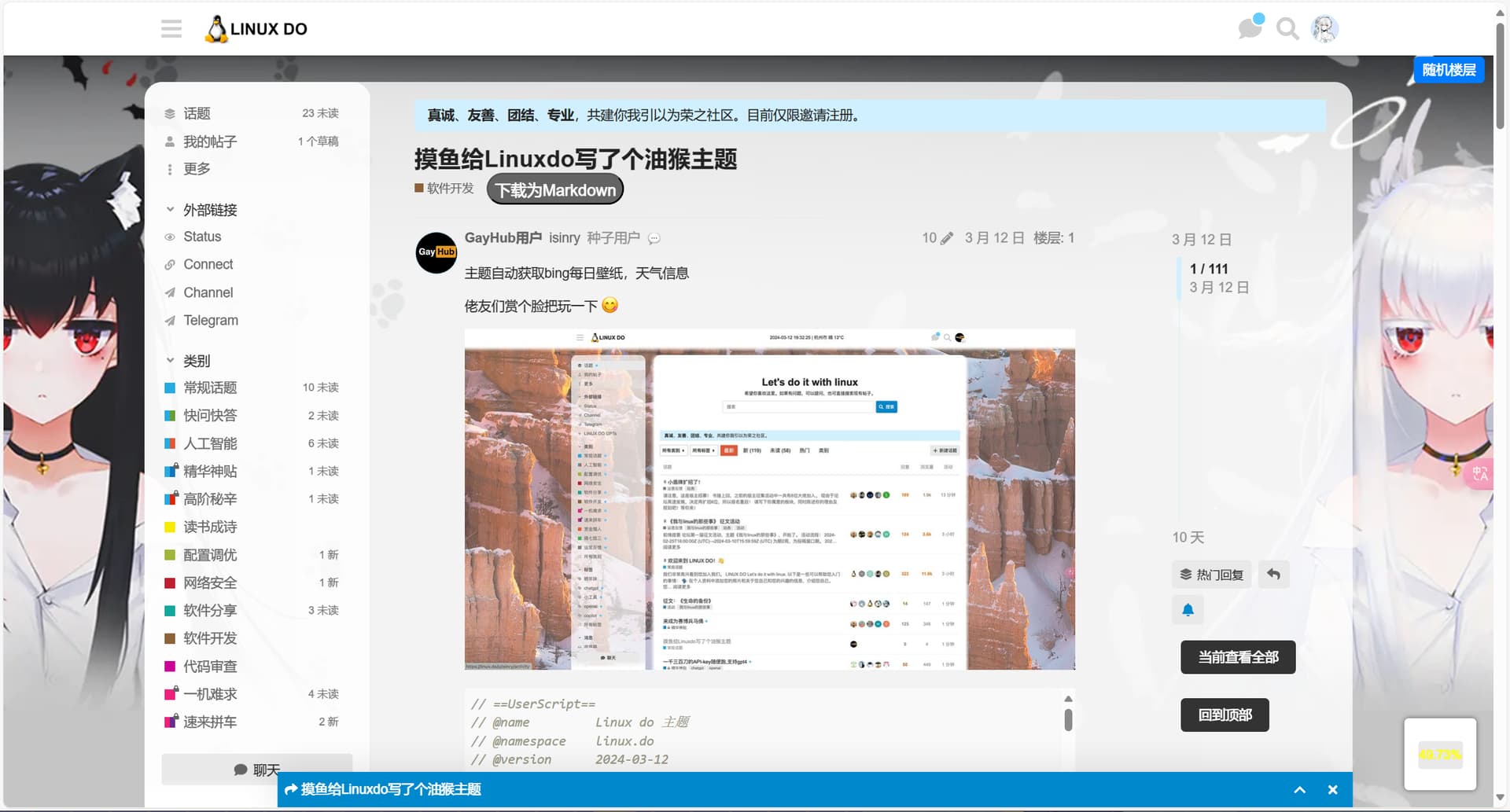
用gpt改了一下,自己挺喜欢的,在最下面的代码可以自定义背景,就是用不了论坛别的自定义主题颜色,暗黑模式也不行,把回到顶部的逻辑改成点击“回到顶部”直接刷新页面回到论坛顶部页面,具体效果看图
// ==UserScript==
// @name         Linux do 主题
// @namespace    hlinux.do
// @version      2024-03-12
// @description  Configure Linux do theme.
// @author       You
// @match        https://linux.do/*
// @icon         data:image/gif;base64,R0lGODlhAQABAAAAACH5BAEKAAEALAAAAAABAAEAAAICTAEAOw==
// @require      https://cdn.staticfile.net/jquery/3.7.1/jquery.min.js
// @grant        GM.xmlHttpRequest
// ==/UserScript==

(async function() {
    'use strict';

    let intervalIndex = setInterval(() => {
        let hasContent = $('#main-outlet-wrapper').html()
        if (hasContent) {
            clearInterval(intervalIndex)

            $('#main-outlet-wrapper').css({
                "margin-top": "30px",
                "border-radius": "20px",
                "background-color": "rgba(255, 255, 255, 0.8)"
            });

            $('.sidebar-wrapper').css({
                "border-radius": "20px",
                "background-color": "rgba(255, 255, 255, 0.8)"
            });

            let btn = $('<button style="display: block; margin-top: 10px; padding: 10px; cursor: pointer;">回到顶部</button>');

btn.on('click', function() {
    // 获取当前URL,并将其格式化以移除 url 中编号后的部分
    let currentUrl = window.location.href;
    let newUrl = currentUrl.replace(/\/\d+([^\/\d]*)$/, '');

    // 重新加载页面
    window.location.href = newUrl;
});

// 修改按钮样式
btn.css({
    backgroundColor: "#333",
    color: "#FFF",
    border: "none",
    padding: "10px 20px",
    margin: "10px",
    borderRadius: "5px",
    cursor: "pointer"
});

// 添加按钮到页面的某个元素
$('.timeline-footer-controls').append(btn);


            $('#main-outlet').css({
                "padding": "20px",
                "border-radius": "20px",
                "box-shadow": "none"
            });

        }
    }, 500);

    function setBodyBackground(imageUrl) {
        $('body').css({
            'background-image': `url(${imageUrl})`,
            'background-repeat': 'no-repeat',
            'background-size': 'cover',
            'background-attachment': 'fixed'
        })
    }

    GM.xmlHttpRequest({
        method: "GET",
        url: "https://global.bing.com/HPImageArchive.aspx?format=js&idx=0&n=1&setmkt=en-US",
        onload: function(response) {
            const data = JSON.parse(response.responseText)
            const base = 'https://www.bing.com'
            const imageUrl = 'https://global.bing.com/' + data.images[0].url
            //const imageUrl = "https://s21.ax1x.com/2024/03/09/pFyErOU.png";   //自定义背景,取消注释这行,然后把上面那行注释掉
            setBodyBackground(imageUrl);
        }
    });
})();