// ==UserScript==
// @name         Gemini Enhancement - Account Picker (Editable Labels)
// @namespace    https://loongphy.com
// @version      1.3
// @description  Adds a button to open new Gemini tab with account picker, editable labels and squircle input
// @author       loongphy (modified by ChatGPT)
// @match        https://gemini.google.com/*
// @grant        none
// @run-at       document-idle
// @downloadURL  https://update.greasyfork.org/scripts/556845/Gemini%20Enhancement.user.js
// @updateURL    https://update.greasyfork.org/scripts/556845/Gemini%20Enhancement.meta.js
// ==/UserScript==

(function() {
    'use strict';

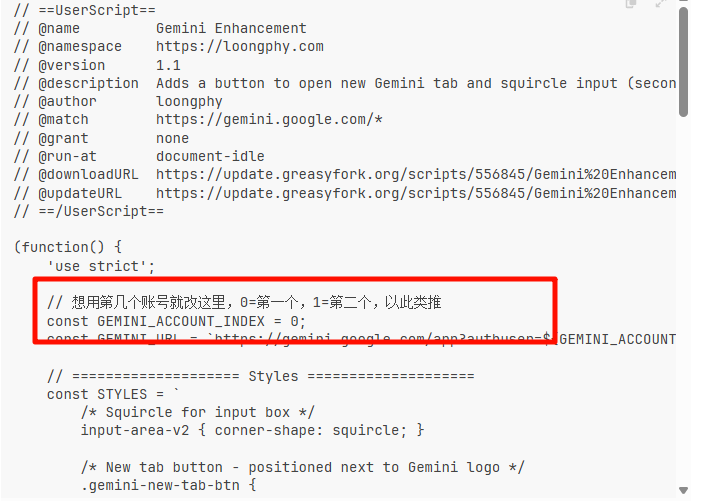
    // ==================== 可配置区域 ====================
    // 想在菜单里列出哪些账号,就在这里改
    // 0 = 第一个账号,1 = 第二个,以此类推
    const GEMINI_ACCOUNTS = [
        { index: 0, label: '账号 1' },
        { index: 1, label: '账号 2' },
        { index: 2, label: '账号 3' },
        { index: 3, label: '账号 4' },
        { index: 4, label: '账号 5' },
        { index: 5, label: '账号 6' }
    ];
    const GEMINI_BASE_URL = 'https://gemini.google.com/app';

    // 存账号自定义名称的 key
    const LABEL_STORAGE_KEY = 'geminiAccountLabels';

    function loadLabelOverrides() {
        try {
            const raw = localStorage.getItem(LABEL_STORAGE_KEY);
            return raw ? JSON.parse(raw) : {};
        } catch (e) {
            console.warn('Gemini Enhancement: failed to load label overrides', e);
            return {};
        }
    }

    function saveLabelOverrides(overrides) {
        try {
            localStorage.setItem(LABEL_STORAGE_KEY, JSON.stringify(overrides));
        } catch (e) {
            console.warn('Gemini Enhancement: failed to save label overrides', e);
        }
    }

    // ==================== Styles ====================
    const STYLES = `
        /* Squircle for input box */
        input-area-v2 { corner-shape: squircle; }

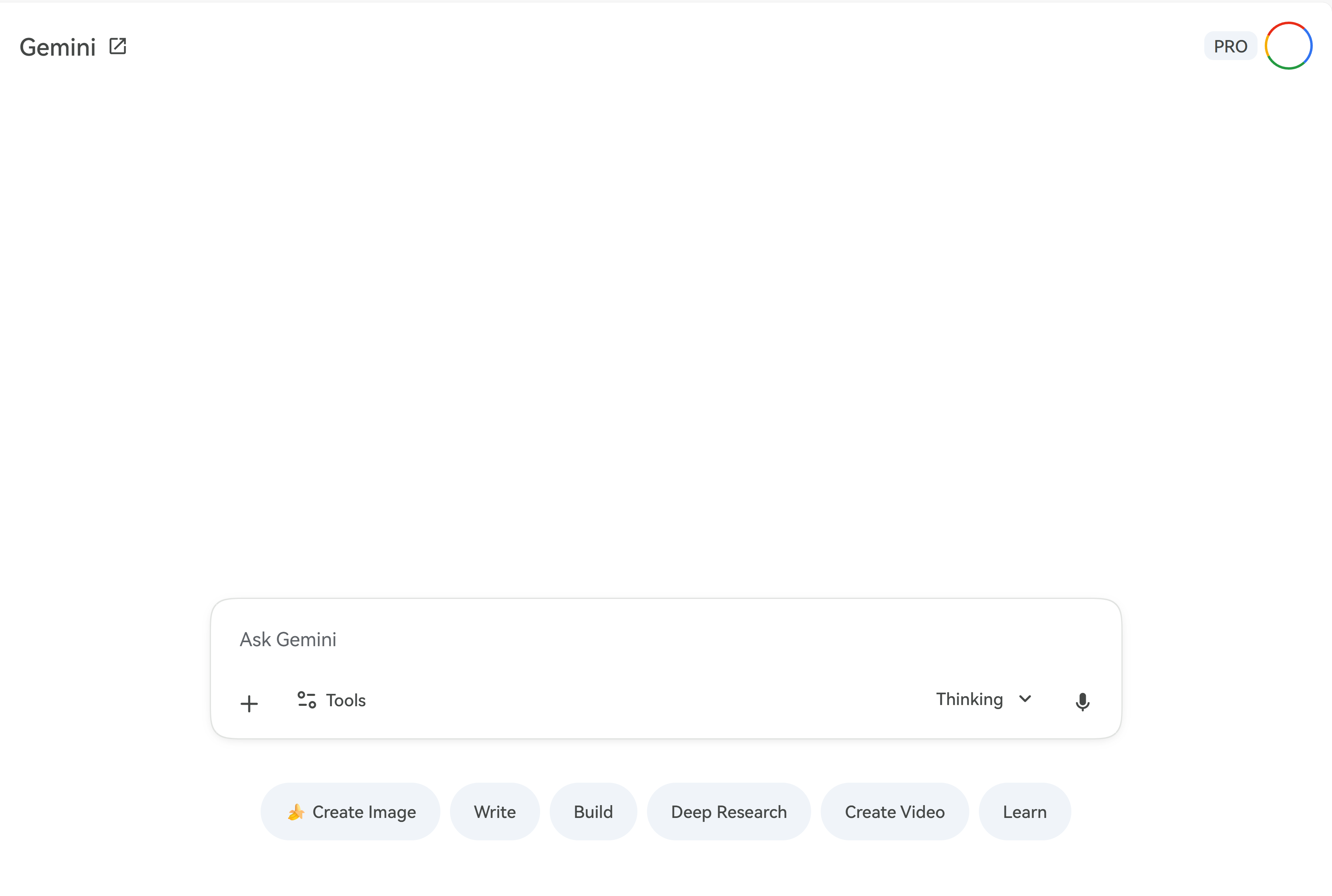
        /* New tab button - positioned next to Gemini logo */
        .gemini-new-tab-btn {
            position: fixed;
            width: 32px;
            height: 32px;
            border-radius: 50%;
            background: transparent;
            border: none;
            cursor: pointer;
            display: flex;
            align-items: center;
            justify-content: center;
            transition: background-color 0.2s ease;
            z-index: 1000;
            visibility: hidden;
        }
        .gemini-new-tab-btn.visible {
            visibility: visible;
        }
        .gemini-new-tab-btn:hover {
            background-color: rgba(68, 71, 70, 0.08);
        }
        .gemini-new-tab-btn:active {
            background-color: rgba(68, 71, 70, 0.12);
        }
        .gemini-new-tab-btn svg {
            width: 18px;
            height: 18px;
            fill: #444746;
        }

        /* Account picker menu */
        .gemini-account-menu {
            position: fixed;
            min-width: 180px;
            padding: 6px 0;
            border-radius: 12px;
            background-color: #fff;
            box-shadow: 0 4px 16px rgba(0, 0, 0, 0.16);
            border: 1px solid rgba(0, 0, 0, 0.08);
            z-index: 1001;
            display: none;
            font-size: 13px;
        }
        .gemini-account-menu.visible {
            display: block;
        }
        .gemini-account-menu__item {
            width: 100%;
            padding: 8px 16px;
            background: none;
            border: none;
            text-align: left;
            cursor: pointer;
            display: flex;
            align-items: center;
            gap: 8px;
            font-family: system-ui, -apple-system, BlinkMacSystemFont, "Segoe UI", sans-serif;
        }
        .gemini-account-menu__item:hover {
            background-color: rgba(68, 71, 70, 0.06);
        }
        .gemini-account-menu__item-index {
            min-width: 18px;
            opacity: 0.7;
        }
        .gemini-account-menu__item-label {
            flex: 1;
        }
        .gemini-account-menu__item-authuser {
            font-size: 11px;
            opacity: 0.6;
        }
        .gemini-account-menu__item-hint {
            font-size: 10px;
            opacity: 0.5;
            margin-left: auto;
        }
    `;

    function injectStyles() {
        const styleEl = document.createElement('style');
        styleEl.textContent = STYLES;
        document.head.appendChild(styleEl);
    }

    function openGeminiWithAccount(index) {
        const url = `${GEMINI_BASE_URL}?authuser=${index}`;
        window.open(url, '_blank');
    }

    function createAccountMenu(anchorButton) {
        const menu = document.createElement('div');
        menu.className = 'gemini-account-menu';

        const labelOverrides = loadLabelOverrides();

        GEMINI_ACCOUNTS.forEach(acc => {
            const item = document.createElement('button');
            item.className = 'gemini-account-menu__item';

            const spanIndex = document.createElement('span');
            spanIndex.className = 'gemini-account-menu__item-index';
            spanIndex.textContent = acc.index;

            const spanLabel = document.createElement('span');
            spanLabel.className = 'gemini-account-menu__item-label';
            const resolvedLabel = labelOverrides[acc.index] || acc.label;
            spanLabel.textContent = resolvedLabel;

            const spanAuth = document.createElement('span');
            spanAuth.className = 'gemini-account-menu__item-authuser';
            spanAuth.textContent = `authuser=${acc.index}`;

            const spanHint = document.createElement('span');
            spanHint.className = 'gemini-account-menu__item-hint';
            spanHint.textContent = '右键重命名';

            item.appendChild(spanIndex);
            item.appendChild(spanLabel);
            item.appendChild(spanAuth);
            item.appendChild(spanHint);

            // 左键:直接打开
            item.addEventListener('click', (e) => {
                e.stopPropagation();
                menu.classList.remove('visible');
                openGeminiWithAccount(acc.index);
            });

            // 右键:重命名
            item.addEventListener('contextmenu', (e) => {
                e.preventDefault();
                e.stopPropagation();

                const currentOverrides = loadLabelOverrides();
                const currentLabel = currentOverrides[acc.index] || acc.label || `账号 ${acc.index + 1}`;
                const input = prompt('为这个账号设置一个名字(留空恢复默认):', currentLabel);

                if (input === null) {
                    // 用户取消
                    return;
                }

                const trimmed = input.trim();
                if (trimmed) {
                    currentOverrides[acc.index] = trimmed;
                    spanLabel.textContent = trimmed;
                } else {
                    // 清除自定义标签,恢复默认
                    delete currentOverrides[acc.index];
                    spanLabel.textContent = acc.label;
                }
                saveLabelOverrides(currentOverrides);
            });

            menu.appendChild(item);
        });

        document.body.appendChild(menu);

        function positionMenu() {
            const rect = anchorButton.getBoundingClientRect();
            menu.style.top = (rect.bottom + 8) + 'px';
            menu.style.left = rect.left + 'px';
        }

        function showMenu() {
            positionMenu();
            menu.classList.add('visible');
        }

        function hideMenu() {
            menu.classList.remove('visible');
        }

        // 点击按钮:切换菜单显示/隐藏
        anchorButton.addEventListener('click', (e) => {
            e.stopPropagation();
            if (menu.classList.contains('visible')) {
                hideMenu();
            } else {
                showMenu();
            }
        });

        // 点击外部关闭菜单
        document.addEventListener('click', (e) => {
            if (!menu.contains(e.target) && e.target !== anchorButton) {
                hideMenu();
            }
        });

        // 窗口缩放时重新定位(如果菜单是打开的)
        window.addEventListener('resize', () => {
            if (menu.classList.contains('visible')) {
                positionMenu();
            }
        });

        return menu;
    }

    function createNewTabButton() {
        const button = document.createElement('button');
        button.className = 'gemini-new-tab-btn';
        button.title = '选择账号打开新的 Gemini 标签页';

        // SVG icon (open in new tab) using DOM APIs
        const svg = document.createElementNS('http://www.w3.org/2000/svg', 'svg');
        svg.setAttribute('viewBox', '0 0 24 24');
        const path = document.createElementNS('http://www.w3.org/2000/svg', 'path');
        path.setAttribute('d', 'M19 19H5V5h7V3H5a2 2 0 0 0-2 2v14a2 2 0 0 0 2 2h14a2 2 0 0 0 2-2v-7h-2v7zM14 3v2h3.59l-9.83 9.83 1.41 1.41L19 6.41V10h2V3h-7z');
        svg.appendChild(path);
        button.appendChild(svg);

        // Position button dynamically next to Gemini text
        function positionButton() {
            const geminiText = document.querySelector('.bard-text');
            if (geminiText) {
                const rect = geminiText.getBoundingClientRect();
                if (rect.width > 0 && rect.left > 0) {
                    button.style.top = (rect.top + (rect.height - 32) / 2) + 'px';
                    button.style.left = (rect.right + 2) + 'px';
                    button.classList.add('visible');
                    return true;
                }
            }
            return false;
        }

        function waitAndPosition() {
            if (!positionButton()) {
                requestAnimationFrame(waitAndPosition);
            }
        }

        document.body.appendChild(button);
        waitAndPosition();

        // 创建账号选择菜单(挂在同一个页面上)
        createAccountMenu(button);

        window.addEventListener('resize', positionButton);
    }

    // ==================== Initialize ====================
    function init() {
        injectStyles();
        createNewTabButton();
    }

    init();
})();


 忘记暗色模式了,已更新