最近在折腾
Claw时感觉好多文档都是东一块西一块的,而且官方文档也是一坨,所以干脆自己写一个简单至极的直接接入CC的教程。
1. 安装 ClaudeCode
略
2. 配置 Claude Code 自定义网关
2.1 编辑 ~/.claude/settings.json:
{
  "env": {
    "ANTHROPIC_API_KEY": "******",
    "ANTHROPIC_BASE_URL": "https://example.com",
    "CLAUDE_CODE_DISABLE_NONESSENTIAL_TRAFFIC": "1"
  },
  "model": "opus"
}
2.2 验证网关是否生效:
claude -p "say hi"
2.3 如果不想改全局配置,可以用 --settings 指定配置:
claude --settings /Users/***/.claude/settings_local.json -p "你好"
能正常返回即说明网关和 key 配置正确。
3. 安装 OpenClaw
TIP: Node.js >= 22.12.0
3.1 安装:
npm install -g openclaw
3.2 初始化:
openclaw setup
初始化成功响应如下:
Wrote ~/.openclaw/openclaw.json
Workspace OK: ~/.openclaw/workspace
Sessions OK: ~/.openclaw/agents/main/sessions
4. 配置 OpenClaw
4.1 设置模型,可选 opus、sonnet、haiku:
openclaw config set agents.defaults.model.primary "claude-cli/opus"
4.2 设置 Gateway 为本地模式(不设会拒绝启动):
openclaw config set gateway.mode local
4.3 (可选)让 OpenClaw 使用指定的 Claude Code 配置,同2.3:
openclaw config set agents.defaults.cliBackends.claude-cli.command "claude"
openclaw config set agents.defaults.cliBackends.claude-cli.args '["-p","--output-format","json","--dangerously-skip-permissions","--settings","/Users/***/.claude/settings_local.json"]'
5. 启动 Gateway
5.1 先设置访问令牌:
openclaw config set gateway.auth.token "api-token-test"
5.2 安装服务、启动服务:
openclaw gateway install
openclaw gateway start
5.3 打开 Web 面板:
http://127.0.0.1:18789/#token=api-token-test
5.4 快速测试:
openclaw agent --local --session-id test --message "你好"
成功响应:
[agent/claude-cli] cli exec: provider=claude-cli model=opus promptChars=6
你好!有什么可以帮你的?
6. 配置 Telegram Bot
6.1 启用 Telegram 插件:
openclaw plugins enable telegram
成功响应:
Enabled plugin "telegram". Restart the gateway to apply.
6.2 添加 Bot Token(从 Telegram @BotFather 获取):
openclaw channels add --channel telegram --token "8571******:AAF0Iu******BqaYtew-4"
成功响应:
Added Telegram account "default".
6.2 设置私聊策略为白名单模式:
openclaw config set channels.telegram.dmPolicy "allowlist"
成功响应:
Updated channels.telegram.dmPolicy. Restart the gateway to apply.
6.3 添加授权用户 ID(从 Telegram @userinfobot 获取,多个用户用逗号分隔):
openclaw config set channels.telegram.allowFrom '[你的USER_ID]'
成功响应:
Updated channels.telegram.allowFrom. Restart the gateway to apply.
6.4 (可选)如果 Bot 之前设过 webhook,启动会报冲突,先删掉:
curl -s "https://api.telegram.org/bot你的BOT_TOKEN/deleteWebhook"
{"ok":true,"result":true,"description":"Webhook was deleted"}
6.5 配置完成后重启 Gateway:
openclaw gateway restart
接下来就能在
Telegram Bot中愉快使用了!
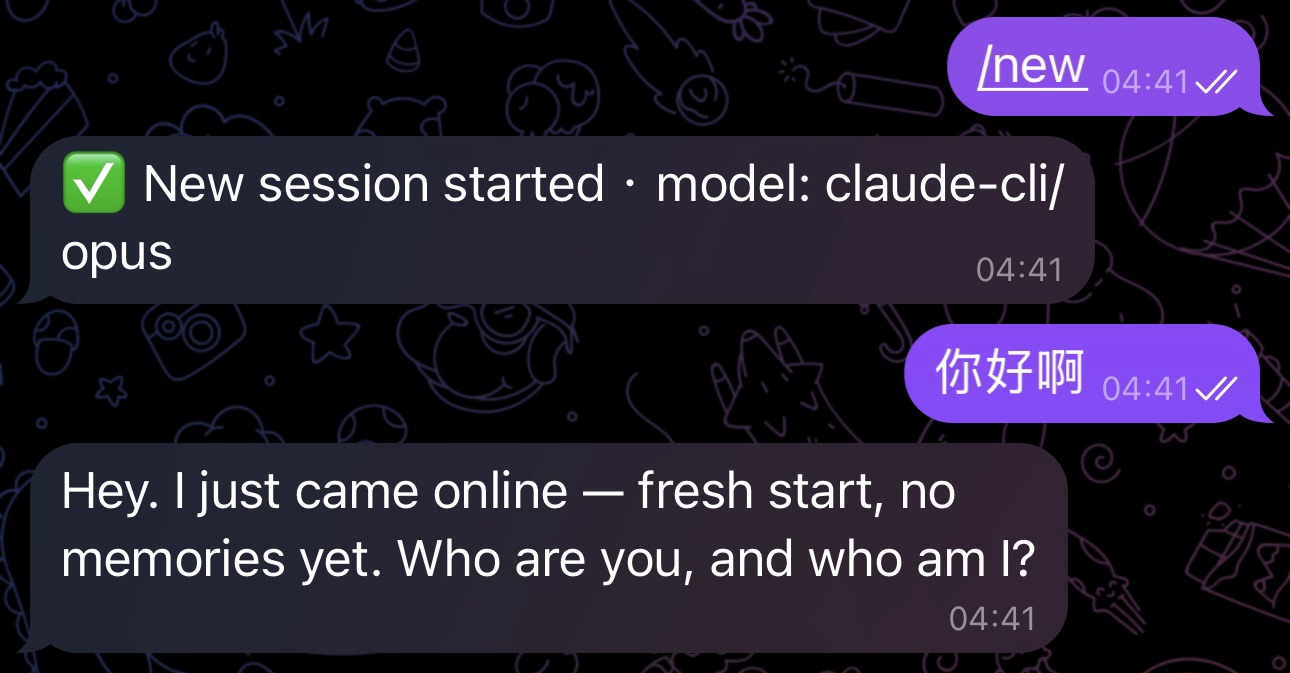
由于
ClaudeCode支持的Tools限制,所以实际效果比OpenClaw接入Claude官方API会差一些。
 谢谢分享
谢谢分享