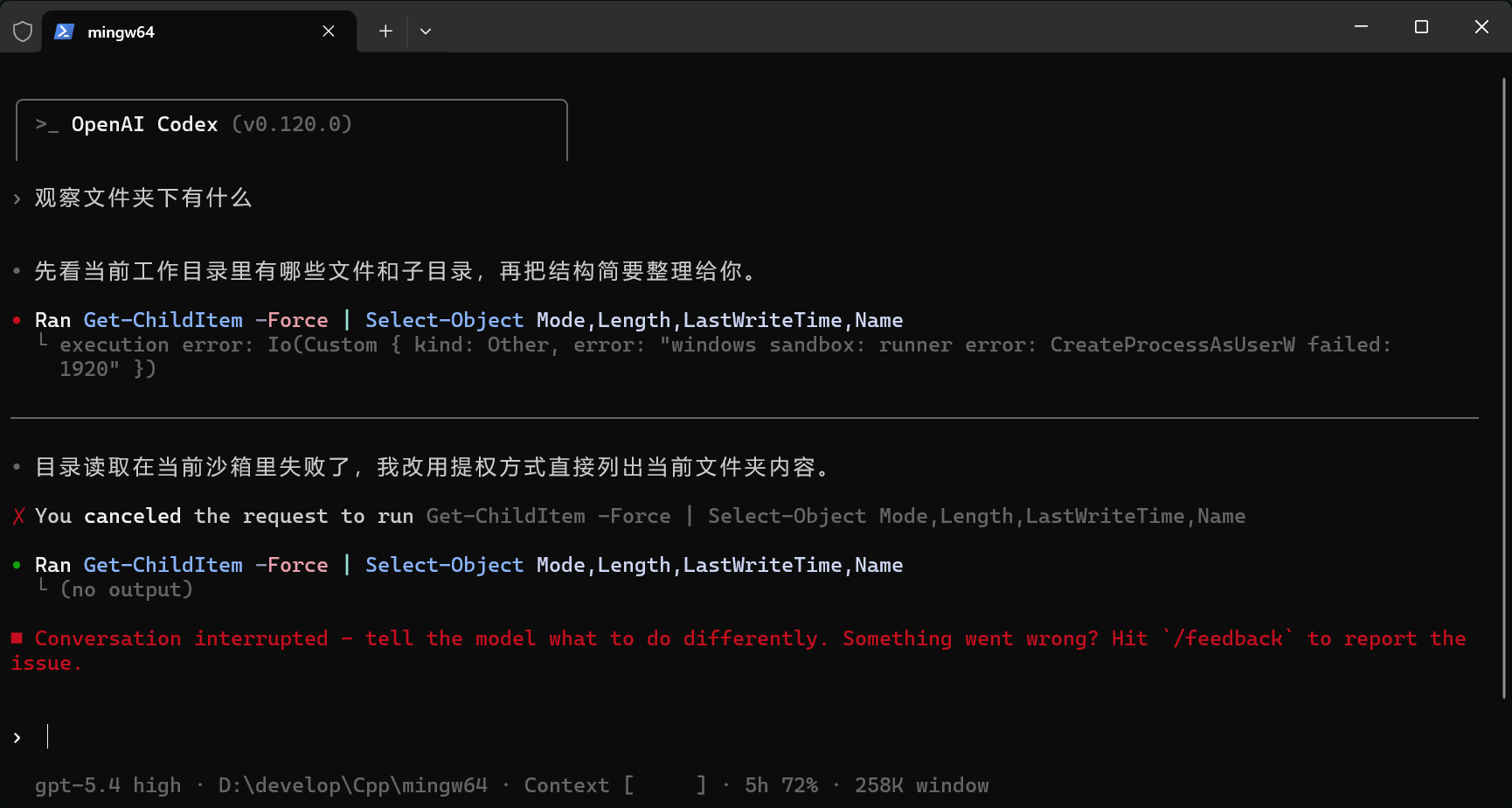
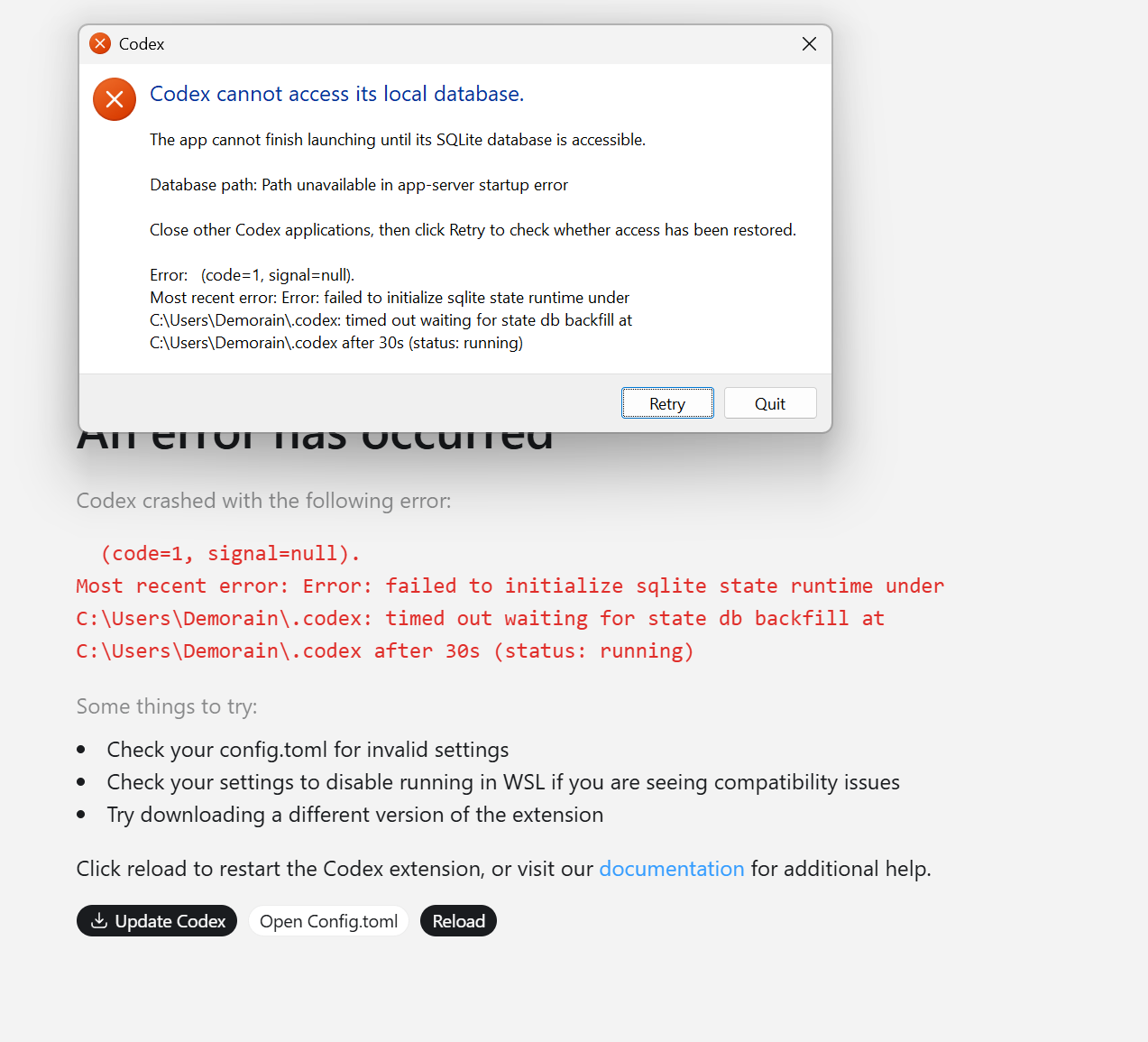
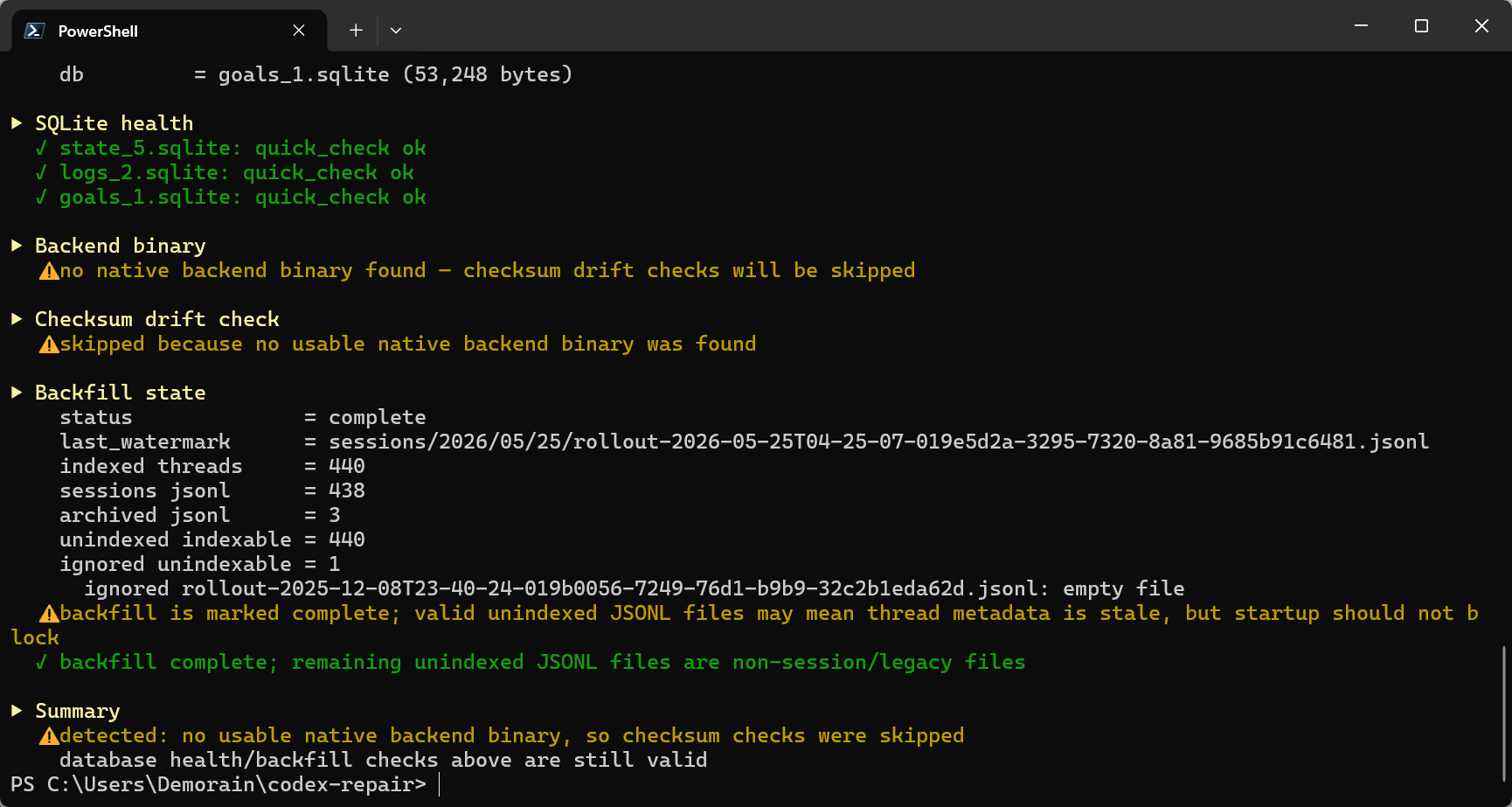
20260413更新
试了下更新最新版本(0.120.0版本),apply_patch的新错误已经消失了(注意我说的是我遇到的错误好像没问题了,不知道其他遇到的错误会不会因为更新新版本就修复了),回到之前的旧会话继续也没问题,希望以后别再有问题了,不然也只能用unelevated非提权模式了
对于codex给工作区的文件设置的 CodexSandboxOffline/Online用户的问题,说是把config.toml里的改成sandbox = "unelevated",然后把相关的ACLs都移除就行
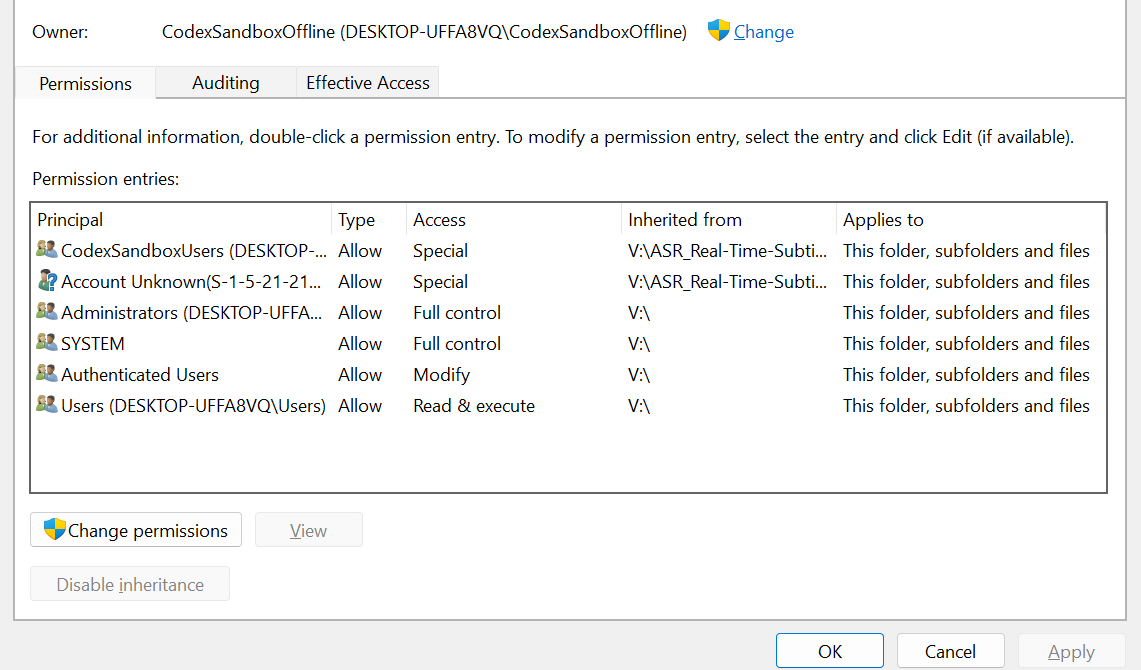
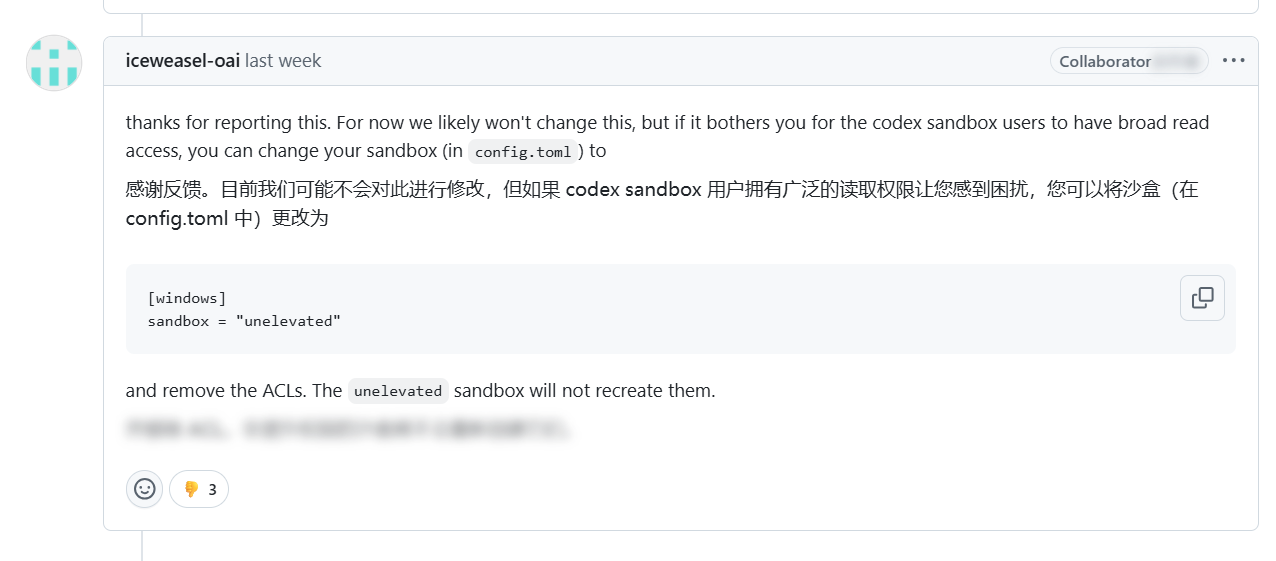
有人修复了这个CodexSandboxOffline用户权限的问题,具体可以看他发的issue,
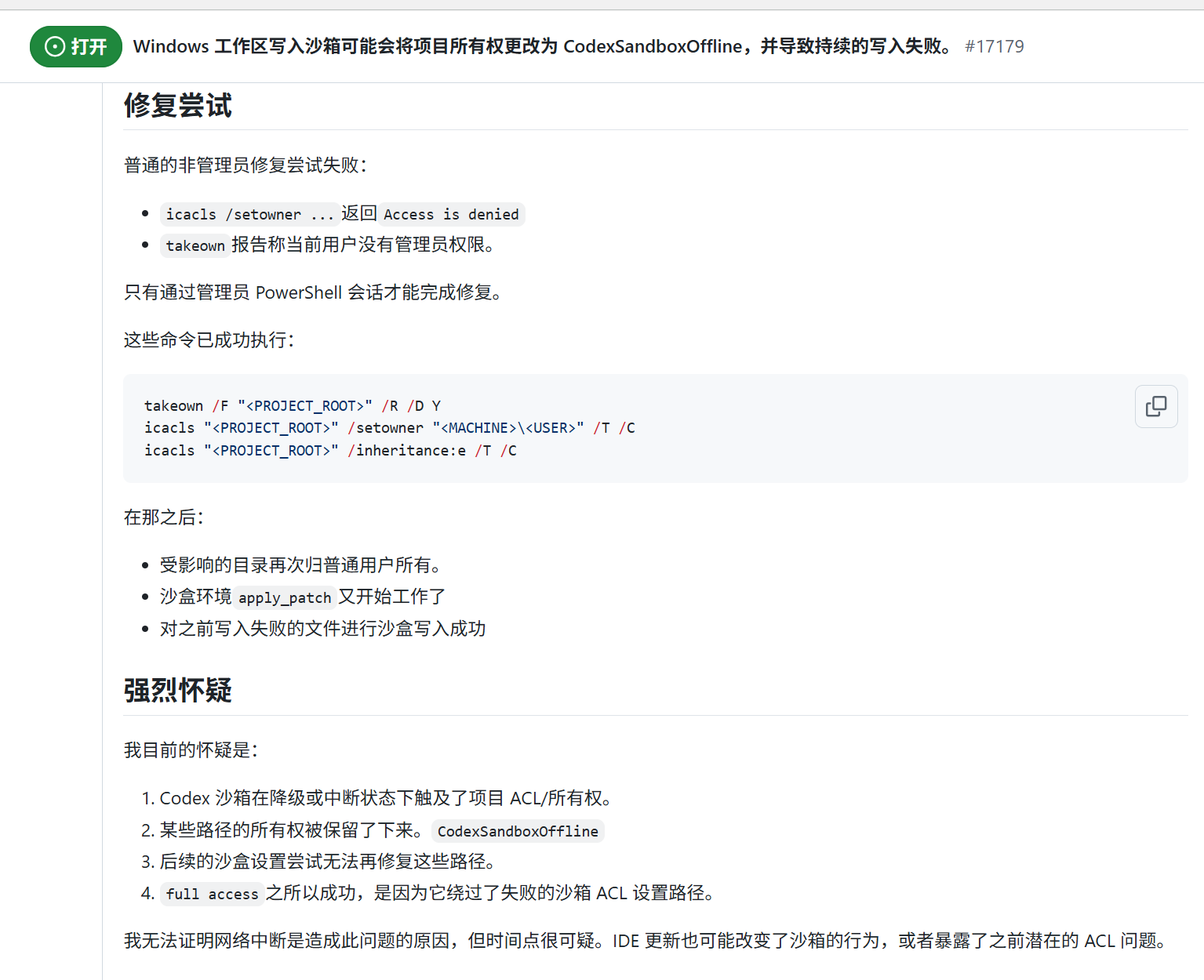
这个issue的评论区也有人说重置相关权限就行,也可以试试,目前我没遇到这个问题,我就没按照他们的方法去修复
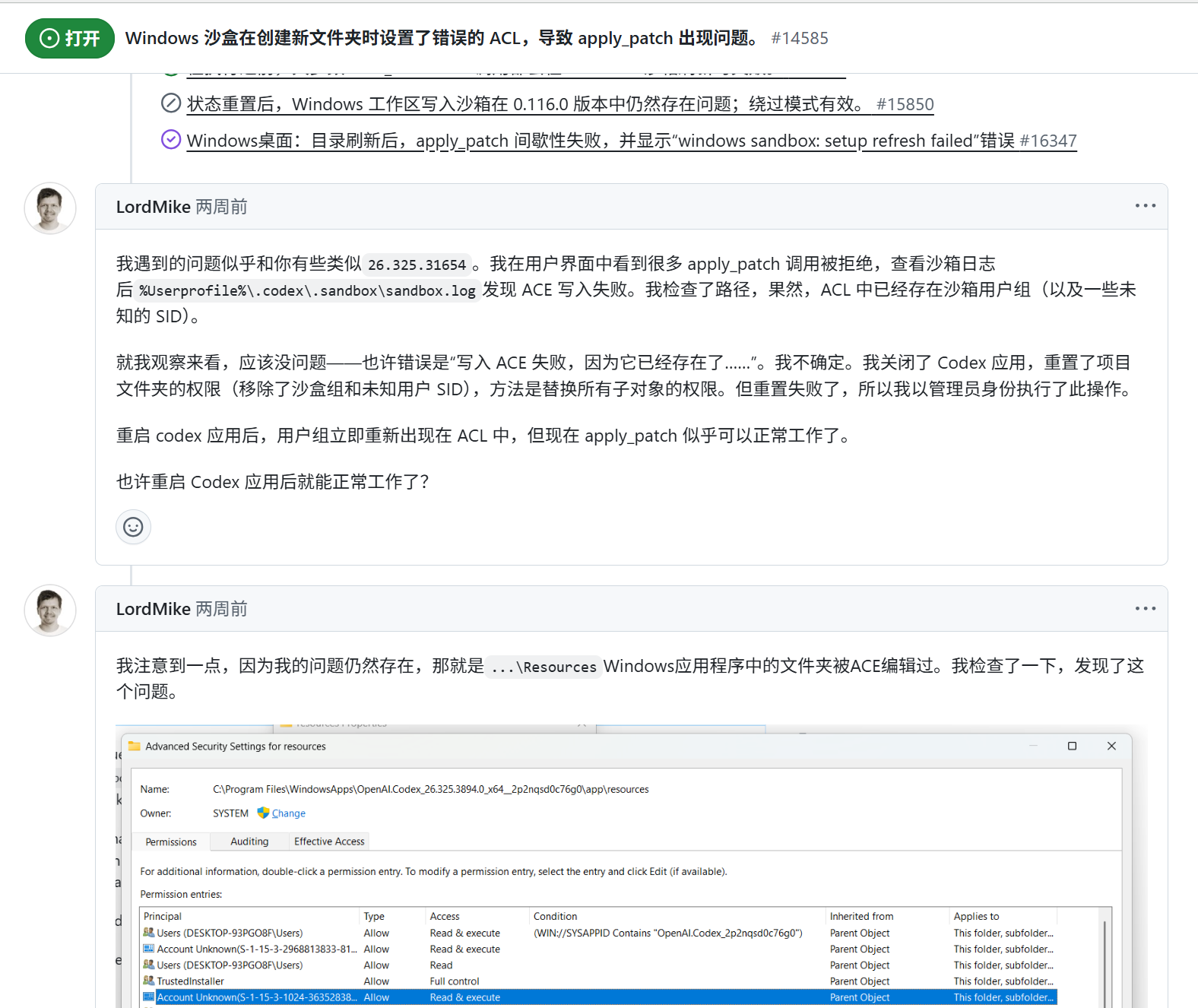
似乎此次的apply_patch错误windows sandbox: setup refresh failed with status exit code: 1只会发生在使用workplace_write模式下,是被codex破坏了项目工作区的一些文件夹的ACL权限,理论上手动改一下好像就能修,不过看到issue里维护者好像说新版本修复了我再试试
相关链接:
- Windows sandbox sets incorrect ACLs when creating new folders, causing issues with apply_patch · Issue #14585 · openai/codex · GitHub
- apply_patch fails for nested files under src/** with sandbox refresh error · Issue #14675 · openai/codex · GitHub
- Windows workspace-write sandbox can change project ownership to CodexSandboxOffline and cause persistent write failures · Issue #17179 · openai/codex · GitHub
- apply_patch fails for nested files under src/** with sandbox refresh error · Issue #14675 · openai/codex · GitHub
20260412更新
新遇到的apply_patch错误为:windows sandbox: setup refresh failed with status exit code: 1
又坏了,很奇怪,我重建以后测试apply_patch还可以用去(小测试),后面又新建另外一个对话,给了很长的context走之前历史对话里没完成的任务,然后过了很久apply_patch又失败了了,我还是0.115.0的老版本。。。。。。。。。。。。
PS:重建沙盒以后的新对话,是可以正常使用apply_patch命令的,但是重建之前的所有旧对话我测试了一下好像可能是用旧沙盒原因或者缓存啥的,反正还是用不了apply_patch命令
写一下省流版:
如果想用"elevated"模式的windows沙盒:
- 找
C:\Users\你用户名\.codex\.sandbox里的setup_marker.json - 找
C:\Users\你用户名\.codex\.sandbox-secrets里的sandbox_users.json - 把setup_marker.json和sandbox_users.json删除,你想备份一下也行
- 新开终端,试一下用着命令运行一下
codex sandbox windows --full-auto -- cmd /c echo SANDBOX_OK - 此时会弹出管理员窗口,点允许,然后看一下刚刚两个文件夹有没有生成新的文件
- 有那2个新文件的话,让codex测试一下apply_patch命令是否能正常运行,一般是没问题的
20260323更新
我再更新一下,非常懵逼我现在
这次的apply_patch错误代码: CreateProcessWithLogonW failed: 1326
结论:
这次的错误代码 CreateProcessWithLogonW failed: 1326的问题,检查了下不是sandbox=elevated不能用,也不是0.116新版本CLI写挂了,而是我之前用第三方中转站api转到openai官方登录方式以后,似乎是这个原因导致Codex本地保存的sandbox凭据没更新,清理一下sandbox_users.json和setup_marker.json然后重新重建sandbox就正常了。
(我之前一直在用彗星佬的0.111.0版本的codex,后来不知道为啥突然sandbox运行故障了,然后尝试卸载重新装官方的116和115还是不行)
问题的起因:
Codex 本地保存的 sandbox 凭据缓存,和系统里真实的 CodexSandboxOffline / CodexSandboxOnline 密码不同步了。也就是程序拿着旧密码去登录 sandbox 用户,Windows 直接回了 “用户名或密码错误”,于是 CreateProcessWithLogonW 就报 1326,非常懵逼的错误了属于是。
这次关键证据有几条:

1. Security 日志里反复出现 `4625`
   - 失败账号:`CodexSandboxOffline`
   - `Logon Process: seclogo`
   - `Status: 0xC000006D`
   - `Sub Status: 0xC000006A`

这个组合基本就是:
**不是缺少 logon rights,而是密码不对 / 凭据不匹配。**

2. 系统里这两个用户本身还在,而且是启用状态
   - `CodexSandboxOffline`
   - `CodexSandboxOnline`
   - `CodexSandboxUsers` 组也还在

3. 系统账号的 `PasswordLastSet`
   是 `2026-03-21 17:03:27`

4. 但 Codex 本地的这两个缓存文件:
   - `.codex/.sandbox-secrets/sandbox_users.json`
   - `.codex/.sandbox/setup_marker.json`

   最后修改时间还停在:
   `2026-02-23 19:37:05`

也就是说:
**系统里的 sandbox 用户密码后来被改过了,但 Codex 还在用 2 月 23 日那套旧缓存。**

我最后的处理方式也很简单粗暴:
先备份旧的:
- `sandbox_users.json`
- `setup_marker.json`

然后把原文件改名,让 Codex 重新生成新的 sandbox 凭据缓存。

结果:
- `codex sandbox windows -c windows.sandbox="elevated" cmd /c echo ...` 成功
- `shell_command` 恢复正常
- `apply_patch` 也恢复正常
- 原来的 `CreateProcessWithLogonW failed: 1326` 不再出现

所以这次至少在我这台机器上,**最小修复**不是改 `config.toml`,也不是直接退回 `unelevated`,而是:
**把失效的 sandbox 凭据缓存重建掉。**
原问题:
懵逼中,CreateProcessWithLogonW failed: 1326,是codex 0.116.0最新版本的bug吗?我连正常编辑/新建文件都不行,不知道是不是跟sandbox = "elevated"这个参数有关系我再试试,这个ai分析我sandbox的log怎么还分析出是我Windows账户的问题给我整懵逼了
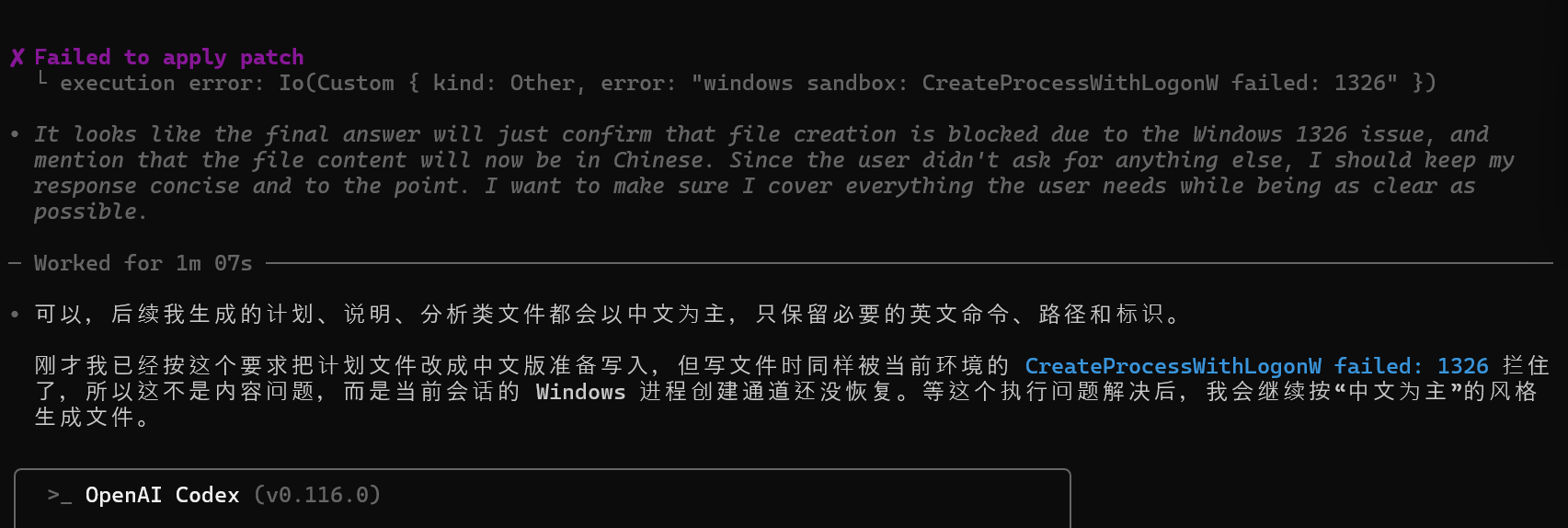
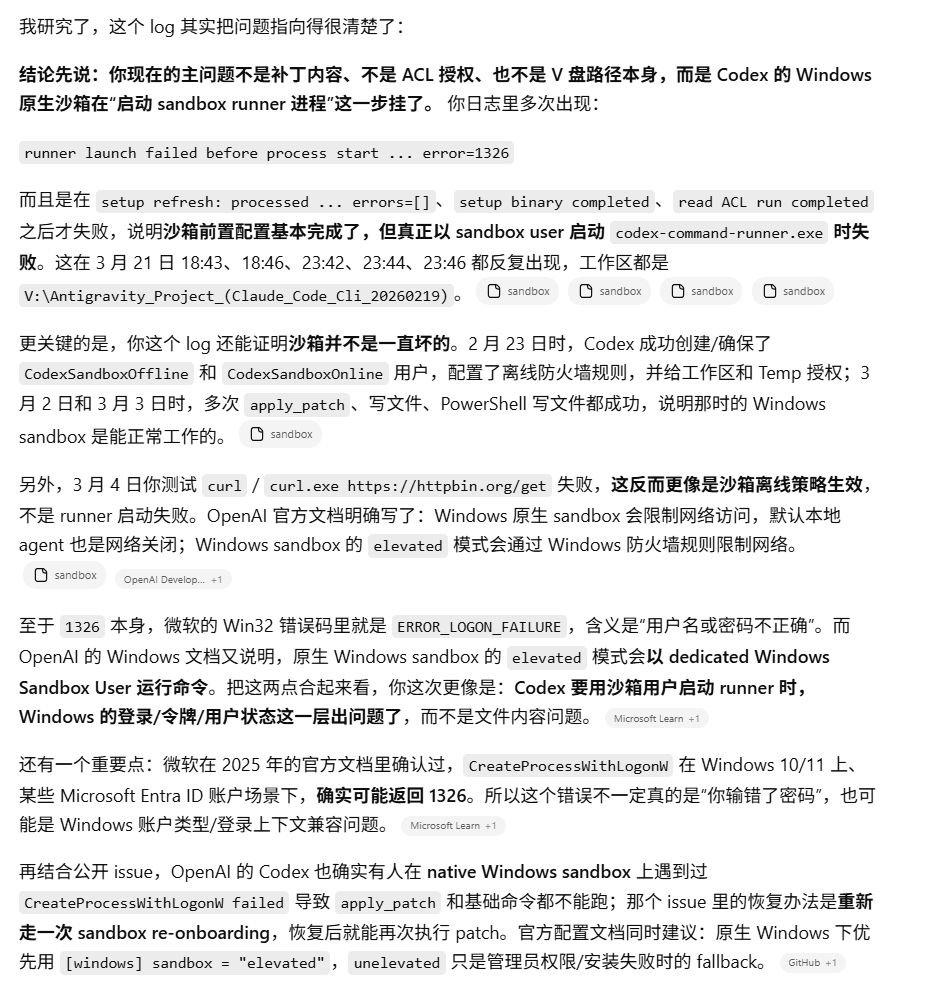

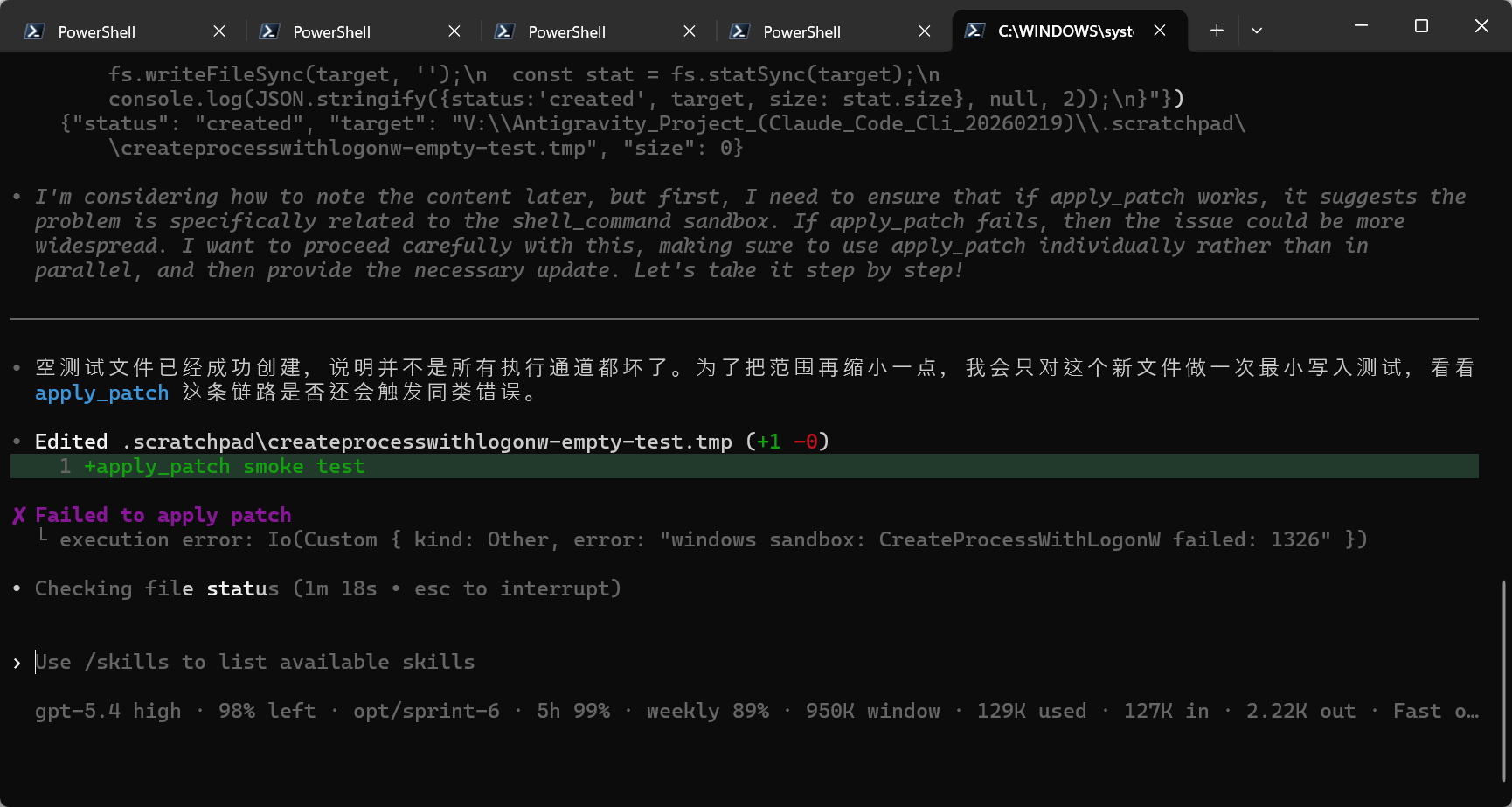
 难不成是沙盒不能用sandbox = elevated吗?