不过只有专家模式没有多模态。大家有什么问题我可以测试测试 

知识库日期:2025年5月
天气卡牌:
鹈鹕骑自行车:
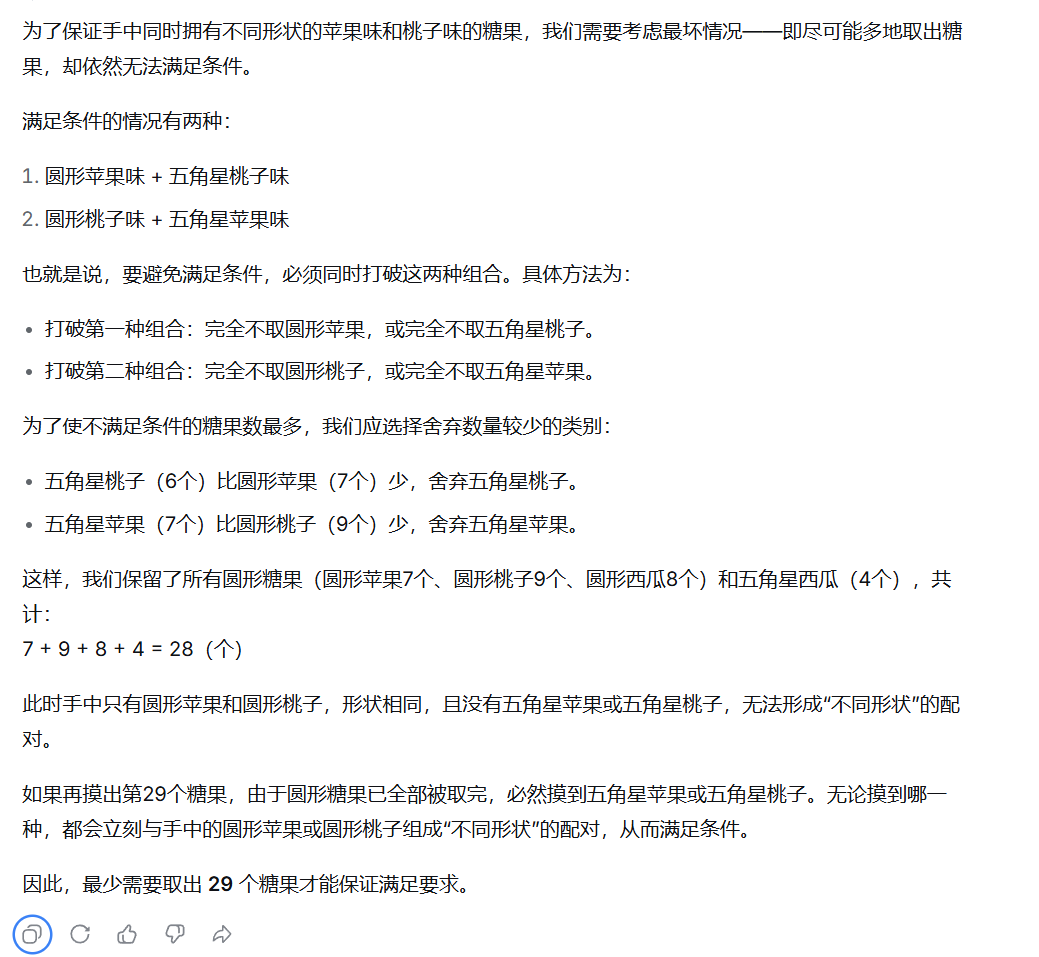
之前测试结果是29,丢失题目中一个关键信息,告诉才算对
在一个黑色的袋子里放有三种口味的糖果,每种糖果有两种不同的形状(圆形和五角星形,不同的形状靠手感可以分辨)。现已知不同口味的糖和不同形状的数量统计如下表。参赛者需要在活动前决定摸出的糖果数目,那么,最少取出多少个糖果才能保证手中同时拥有不同形状的苹果味和桃子味的糖?(同时手中有圆形苹果味匹配五角星桃子味糖果,或者有圆形桃子味匹配五角星苹果味糖果都满足要求)
苹果味 桃子味 西瓜味
圆形 7 9 8
五角星形 7 6 4
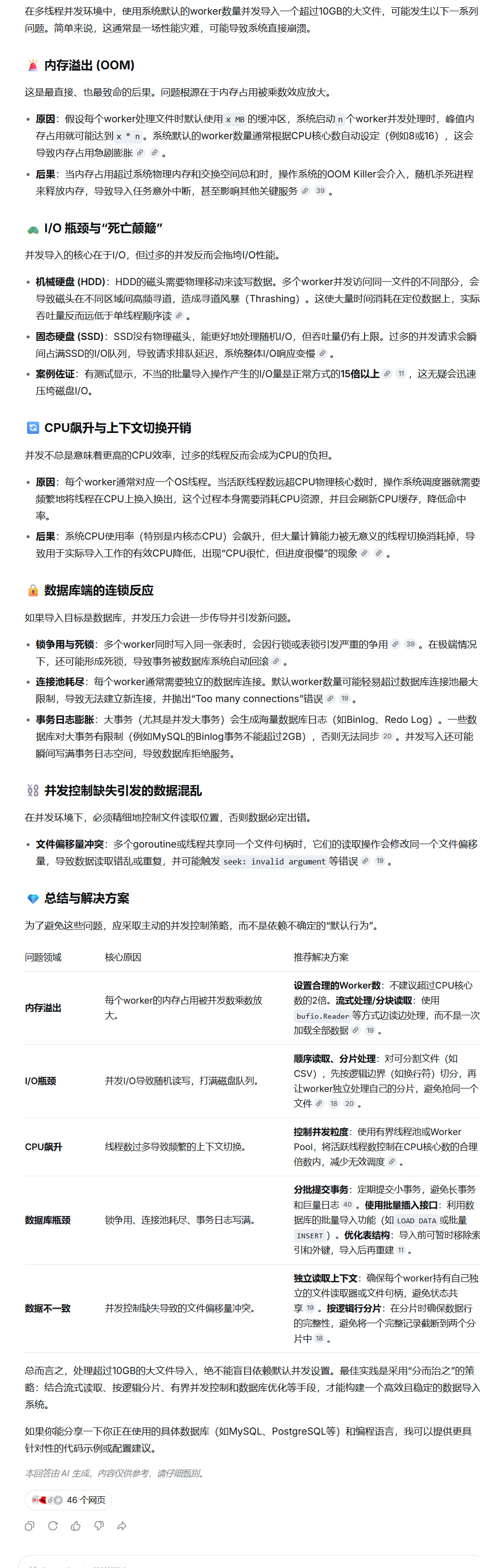
额,额,能不能问问看,如果多线程并发环境中使用系统默认的worker数量并发导入某个文件体积大于10GB的文件可能会发生什么

ok,我先测一下天气卡牌,专家模式貌似不能同时开多个对话
问题你的知识库更新到什么日期,有什么特性
这么吃算力吗?看起来模型不小,会不会有1T的规模
题目:单文件实现高性能、安全计算的响应式电子表格 请在一个单文件 HTML 中(包含内部的 CSS 和 JS),使用纯原生 JavaScript 实现一个 100x100(10000个单元格) 的响应式电子表格。请严格满足以下要求,禁止使用任何第三方库: 1. 界面与大规模渲染(性能测试点): 渲染一个包含表头(列标 A-CV,行标 1-100)的网格。 性能要求:禁止为 10000 个单元格单独绑定事件,必须使用**事件委托(Event Delegation)**处理点击和输入。修改单个单元格时,禁止全量重新渲染 DOM,只能精确更新受影响的单元格节点。 2. 数据、公式与安全(编译原理测试点): 支持纯数字和公式(以 = 开头)。 支持基本加减乘除(如 =A1+B2*2)。 新增范围聚合函数:支持 SUM(start:end) 和 AVG(start:end),例如 =SUM(A1:B3),要求能正确展开二维范围内的所有单元格依赖。 极度严格的安全要求:绝对禁止使用 eval()、new Function() 或 setTimeout 变体来执行公式计算。 你必须实现一个微型的词法分析器/解析器(如调度场算法 Shunting-yard 或简单的 AST 解析)来计算数学表达式。 3. 核心算法要求(图论与健壮性): 级联响应式更新:实现精准的依赖追踪。A1 更新时,只有直接或间接依赖 A1 的单元格才触发重新计算和 DOM 更新。 循环依赖检测:精准检测 A 依赖 B,B 依赖 A(或更深层环)。发现循环依赖时,相关单元格显示 !CYCLE 并中止计算,绝对不能引发调用栈溢出(Stack Overflow)。 错误传播:如果 A1 出现错误(如 !CYCLE 或解析错误 !ERR),依赖 A1 的 C1 也应显示 !ERR。 请确保 UI 简洁可用(建议给表格加上基础边框和高亮),代码结构清晰,严格遵守“禁止 eval”和“防死循环”的底线。
佬友先测测几个常用的吧,比如天气卡片、three.js 魔方还有自动还原,生成可以操作的魔方之类的。
这道题有难度和区分度,目前gpt5.4 100分,gemini 3.1pro 85分,kimi2.5 75分,3.0flash 65分
天气卡牌效果:
提示词:以 iOS 18 的设计风格做一个带有动画效果的天气卡片,要求是使用 HTML、CSS 和基础 JavaScript,使用横板天气页面(拥有 4 个天气卡片 (晴天,大风,暴雨,暴雪))。应足够美观,实现一定的交互效果。
html代码:
body {
  min-height: 100vh;
  background: radial-gradient(circle at 10% 20%, rgba(210, 230, 255, 0.7) 0%, rgba(200, 220, 250, 0.5) 40%, rgba(170, 200, 240, 0.6) 100%),
              linear-gradient(135deg, #b8d4f0 0%, #d9e6f5 50%, #e6f0fa 100%);
  /* 增加背景层次 —— 类似 iOS 18 的流动光晕 */
  position: relative;
  display: flex;
  align-items: center;
  justify-content: center;
  font-family: -apple-system, BlinkMacSystemFont, "SF Pro Display", "SF Pro Text", "Helvetica Neue", sans-serif;
  padding: 24px;
  backdrop-filter: blur(2px); /* 极轻微的背景融合 */
}

/* 装饰性光晕球 —— 让磨砂背景更有层次 */
body::before {
  content: "";
  position: absolute;
  width: 70vmax;
  height: 70vmax;
  background: radial-gradient(circle at 30% 30%, rgba(255, 255, 255, 0.45) 0%, rgba(210, 230, 255, 0.2) 60%, transparent 80%);
  top: -10%;
  left: -10%;
  border-radius: 50%;
  z-index: 0;
  filter: blur(60px);
}

body::after {
  content: "";
  position: absolute;
  width: 60vmax;
  height: 60vmax;
  background: radial-gradient(circle at 70% 80%, rgba(200, 220, 255, 0.5) 0%, rgba(180, 210, 250, 0.2) 70%, transparent 90%);
  bottom: -5%;
  right: -5%;
  border-radius: 50%;
  z-index: 0;
  filter: blur(70px);
}

/* 主卡片容器 —— 毛玻璃面板 */
.weather-panel {
  position: relative;
  z-index: 5;
  max-width: 1300px;
  width: 100%;
  background: rgba(255, 255, 255, 0.28);
  backdrop-filter: blur(30px) saturate(180%);
  -webkit-backdrop-filter: blur(30px) saturate(180%);
  border-radius: 48px;
  padding: 28px 32px 36px;
  box-shadow: 0 25px 50px -8px rgba(0, 20, 40, 0.15),
              0 8px 20px -6px rgba(0, 0, 0, 0.05),
              inset 0 0 0 1px rgba(255, 255, 255, 0.5);
  border: 0.5px solid rgba(255, 255, 255, 0.3);
  transition: box-shadow 0.3s ease;
}

/* 头部区域:标题 + 温度单位切换 (iOS 风格分段控件) */
.panel-header {
  display: flex;
  align-items: center;
  justify-content: space-between;
  margin-bottom: 28px;
  flex-wrap: wrap;
  gap: 16px;
}

.title-section h1 {
  font-size: 2.2rem;
  font-weight: 500;
  letter-spacing: -0.02em;
  color: #1c2e3f;
  text-shadow: 0 1px 3px rgba(255, 255, 255, 0.5);
  display: flex;
  align-items: center;
  gap: 10px;
}

.title-section i {
  font-size: 1.8rem;
  color: #2c4a6e;
  opacity: 0.8;
}

.title-section .sub-location {
  font-size: 0.95rem;
  font-weight: 400;
  color: #2e4b6b;
  margin-top: 4px;
  opacity: 0.8;
  letter-spacing: 0.3px;
}

/* 单位切换 —— iOS 18 风格分段选择器 */
.unit-toggle {
  display: flex;
  background: rgba(230, 240, 255, 0.4);
  backdrop-filter: blur(10px);
  -webkit-backdrop-filter: blur(10px);
  border-radius: 40px;
  padding: 4px;
  border: 0.5px solid rgba(255, 255, 255, 0.6);
  box-shadow: inset 0 1px 4px rgba(0, 0, 0, 0.02), 0 4px 8px rgba(0, 20, 40, 0.05);
}

.unit-btn {
  background: transparent;
  border: none;
  padding: 10px 20px;
  font-size: 1.1rem;
  font-weight: 500;
  color: #1e3a5f;
  border-radius: 32px;
  cursor: pointer;
  backdrop-filter: blur(4px);
  transition: all 0.25s cubic-bezier(0.23, 1, 0.32, 1);
  font-family: inherit;
  letter-spacing: -0.01em;
  box-shadow: none;
  border: 0.5px solid transparent;
}

.unit-btn.active {
  background: rgba(255, 255, 255, 0.8);
  backdrop-filter: blur(10px);
  -webkit-backdrop-filter: blur(10px);
  box-shadow: 0 4px 12px rgba(0, 30, 60, 0.08), 0 0 0 0.5px rgba(255, 255, 255, 0.9);
  color: #0a253b;
  font-weight: 540;
}

.unit-btn:hover {
  background: rgba(255, 255, 255, 0.4);
}

/* 卡片网格 —— 横板四卡片,自适应换行但优先一行 */
.cards-grid {
  display: flex;
  flex-wrap: wrap;
  gap: 22px;
  justify-content: center;
}

/* 单个天气卡片 —— 极致毛玻璃 + iOS 18 动画 */
.weather-card {
  flex: 1 1 200px;
  min-width: 200px;
  max-width: 260px;
  background: rgba(255, 255, 255, 0.3);
  backdrop-filter: blur(24px) saturate(200%);
  -webkit-backdrop-filter: blur(24px) saturate(200%);
  border-radius: 36px;
  padding: 24px 18px 22px;
  box-shadow: 0 20px 40px -10px rgba(0, 20, 40, 0.12),
              0 6px 12px -4px rgba(0, 0, 0, 0.05),
              inset 0 0 0 1px rgba(255, 255, 255, 0.6);
  border: 0.5px solid rgba(255, 255, 255, 0.25);
  display: flex;
  flex-direction: column;
  align-items: center;
  text-align: center;
  transition: all 0.35s cubic-bezier(0.2, 0.9, 0.4, 1);
  transform: translateY(0) scale(1);
  animation: cardFloatIn 0.6s ease-out forwards;
  opacity: 0;  /* 由动画覆盖 */
  will-change: transform, box-shadow;
  position: relative;
  overflow: hidden;
}

/* 卡片依次入场动画 (iOS 风格错落感) */
.weather-card:nth-child(1) { animation-delay: 0.05s; }
.weather-card:nth-child(2) { animation-delay: 0.15s; }
.weather-card:nth-child(3) { animation-delay: 0.25s; }
.weather-card:nth-child(4) { animation-delay: 0.35s; }

@keyframes cardFloatIn {
  0% {
    opacity: 0;
    transform: translateY(24px) scale(0.96);
  }
  100% {
    opacity: 1;
    transform: translateY(0) scale(1);
  }
}

/* 卡片悬停交互:浮起 + 增强光感 */
.weather-card:hover {
  transform: translateY(-8px) scale(1.02);
  box-shadow: 0 30px 50px -12px rgba(0, 30, 60, 0.2),
              0 8px 20px -6px rgba(0, 0, 0, 0.1),
              inset 0 0 0 1px rgba(255, 255, 255, 0.8);
  background: rgba(255, 255, 255, 0.35);
  transition: all 0.3s cubic-bezier(0.2, 0.9, 0.4, 1);
}

/* 卡片内部光泽 (装饰) */
.weather-card::after {
  content: "";
  position: absolute;
  top: 0;
  left: 0;
  width: 100%;
  height: 100%;
  background: radial-gradient(circle at 20% 25%, rgba(255, 255, 255, 0.45) 0%, transparent 70%);
  opacity: 0.5;
  pointer-events: none;
  border-radius: 36px;
}

/* 图标容器 —— 带有微动画效果 */
.card-icon {
  font-size: 3.6rem;
  margin-bottom: 12px;
  color: #1c3a5c;
  text-shadow: 0 4px 12px rgba(0, 20, 40, 0.15);
  filter: drop-shadow(0 6px 10px rgba(30, 60, 90, 0.1));
  transition: transform 0.25s ease;
  position: relative;
  z-index: 2;
}

.weather-card:hover .card-icon {
  transform: scale(1.05) translateY(-2px);
}

/* 温度大数字 */
.temperature {
  font-size: 3.2rem;
  font-weight: 320;
  letter-spacing: -0.03em;
  line-height: 1.1;
  color: #0b2a44;
  display: flex;
  align-items: flex-start;
  justify-content: center;
  margin-bottom: 6px;
  position: relative;
  z-index: 2;
  text-shadow: 0 2px 8px rgba(255, 255, 255, 0.5);
}

.temp-value {
  font-weight: 350;
}

.temp-unit {
  font-size: 1.3rem;
  font-weight: 400;
  margin-left: 3px;
  color: #2e4d6e;
}

/* 天气名称 */
.weather-name {
  font-size: 1.4rem;
  font-weight: 500;
  color: #1a3c5c;
  margin-bottom: 12px;
  letter-spacing: -0.01em;
  position: relative;
  z-index: 2;
}

/* 附加信息行 (体感/风速等) */
.extra-info {
  font-size: 0.9rem;
  font-weight: 430;
  color: #2a4b6e;
  background: rgba(255, 255, 255, 0.25);
  backdrop-filter: blur(4px);
  -webkit-backdrop-filter: blur(4px);
  padding: 8px 16px;
  border-radius: 40px;
  width: fit-content;
  margin-top: 6px;
  border: 0.5px solid rgba(255, 255, 255, 0.5);
  box-shadow: inset 0 1px 3px rgba(255, 255, 255, 0.6);
  position: relative;
  z-index: 2;
  transition: background 0.2s;
}

.weather-card:hover .extra-info {
  background: rgba(255, 255, 255, 0.4);
}

/* 针对不同卡片的图标颜色微调 (保留iOS风格) */
.fa-sun { color: #e68a2e; text-shadow: 0 0 15px #ffd58c; }
.fa-wind { color: #5f7d9c; }
.fa-cloud-showers-heavy { color: #3f7e9c; }
.fa-snowflake { color: #8bb5cc; text-shadow: 0 0 10px #b3e2fa; }

/* 响应式: 小屏幕时仍保持横板感觉,允许换行但保留优雅 */
@media (max-width: 900px) {
  .weather-panel { padding: 20px 20px 28px; }
  .cards-grid { gap: 16px; }
  .weather-card { min-width: 170px; }
  .temperature { font-size: 2.8rem; }
}

@media (max-width: 650px) {
  body { padding: 12px; }
  .panel-header { flex-direction: column; align-items: flex-start; }
}

/* 简单的脉冲提示 —— 点击卡片会有极微反馈 (通过js辅助) */
.weather-card.card-tap {
  transform: scale(0.99);
  transition: transform 0.1s;
}

/* 底部装饰文字 */
.footer-note {
  margin-top: 24px;
  text-align: right;
  font-size: 0.8rem;
  opacity: 0.6;
  color: #1e3b58;
  letter-spacing: 0.3px;
}
为啥你们被灰度到了,而我提问的时候刚觉问了一个傻子。
也没有多惊艳诶,难道加强点在数理人文方面了吗?
感觉还可以啊 但是没有特别惊艳 感觉是有点gemini的味
终于是要出来了,国产模型GPU搞出来的希望给点力啊!
不知道是不是国产卡训练的,如果是的话,是个挺大的消息
这UI看着不错喔,有自己的一套风格,还蛮舒服的 
那感觉就这样,现在好像只有御 3 家能算出 21 个
有没有可能是没有更新模型 单纯的更新了一下前端