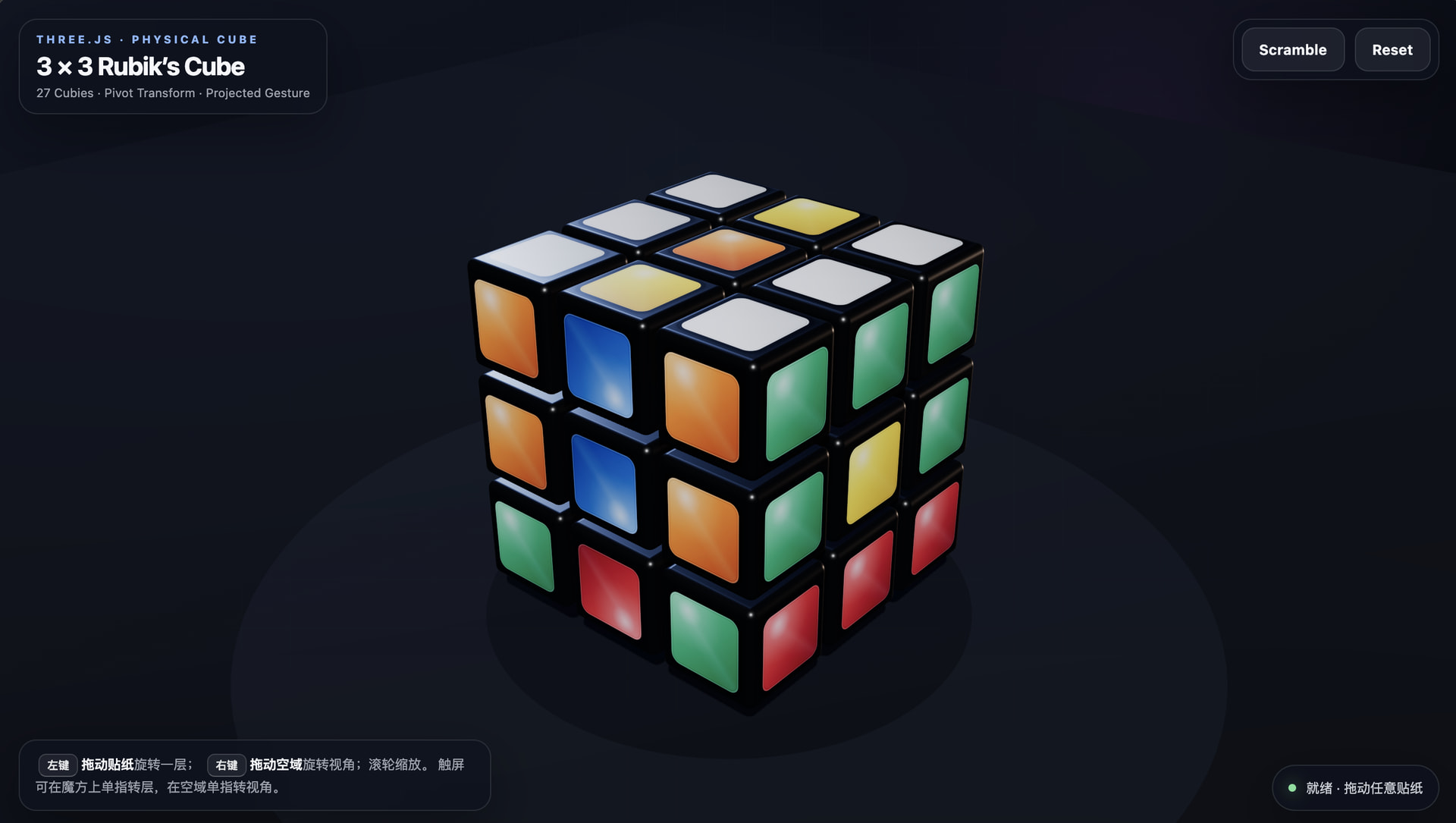
提示词如下
你是一名精通图形学算法与 Web 交互的前端专家。请仅用一个 HTML 文件,基于 Three.js (ES Modules) 实现一个物理级高保真、支持自然手势的 3x3 魔方。
一、 交付规范
单文件架构:HTML/CSS/JS 必须合并在一个文件中。
依赖管理:必须通过 importmap 从 unpkg 或 cdn.skypack 引入 Three.js 及其 OrbitControls、Tween.js。
零素材依赖:禁止加载任何外部图片/贴图,所有材质纹理必须使用 HTML5 Canvas API 程序化动态生成。
二、 视觉与物理标准
模型构建:
场景需包含 27 个独立的小方块(Cubies)。
物理间隙:小方块之间必须保留微小的物理间距(Spacing),不可紧贴。
倒角质感:通过 Canvas 绘制带有圆角矩形(Rounded Rect)的贴纸纹理,模拟真实魔方的塑料黑边与贴纸高光效果。
光影环境:
必须开启 ShadowMap。
配置环境光(Ambient)与平行光(Directional),确保魔方有清晰的立体感和阴影投射。
三、 核心逻辑考点(数据结构与变换)
禁止维护复杂的 3D 状态数组,请使用基于"空间位置"的动态计算方案:
动态层级筛选:
不要写死索引。当需要旋转某一层时,遍历所有方块,根据其在世界坐标系(World Position)下的 x, y, z 值与阈值(Epsilon)来判断它是否属于当前旋转层。
Pivot 变换机制(关键考点):
实现旋转时,必须创建一个临时的 Pivot(轴心对象)。
核心API:使用 pivot.attach(object) 将选中的方块挂载到轴心,旋转轴心,动画结束后使用 scene.attach(object) 将方块放回场景。
作用:利用 attach 自动计算世界矩阵变换,避免手动处理复杂的四元数乘法。
坐标清洗:
每次旋转结束后,必须对所有方块的位置(Position)和旋转(Rotation)进行 Math.round() 取整处理,消除浮点数累积误差,防止魔方"散架"。
四、 交互系统考点(算法重难点)
这是区分初级与高级开发者的核心点,请实现类似原生 App 的自然手势体验:
操作分离:
左键拖拽:旋转魔方的某一层。
右键拖拽:旋转视角(OrbitControls)。
基于投影向量的手势识别算法:
射线检测:点击时获取被点击方块的"表面法线(Face Normal)“。
意图判断:
根据法线,锁定潜在的两个旋转轴(例如点击前面,潜在轴为 X 或 Y)。
将这两个 3D 轴的向量**投影(Project)**到 2D 屏幕空间。
计算用户鼠标滑动的 2D 向量与这两个投影向量的点积(Dot Product),选择匹配度最高的轴作为旋转轴。
方向修正与实时跟随:
实现1:1 实时跟手:鼠标移动多少像素,魔方层转动对应角度。
符号修正:通过叉乘(Cross Product)或投影符号判断,确保无论从魔方正面、背面还是顶面操作,鼠标向右划动始终对应"向右转"的视觉逻辑(解决方向反转 bug)。
磁吸效果:
松开鼠标后,自动计算最近的 90 度倍数,使用 Tween.js 播放回弹动画并对齐网格。
五、 代码质量
代码需包含清晰的注释,解释"手势投影算法"和"Pivot 挂载逻辑”。
具备 Scramble(打乱)和 Reset(重置)功能按钮。
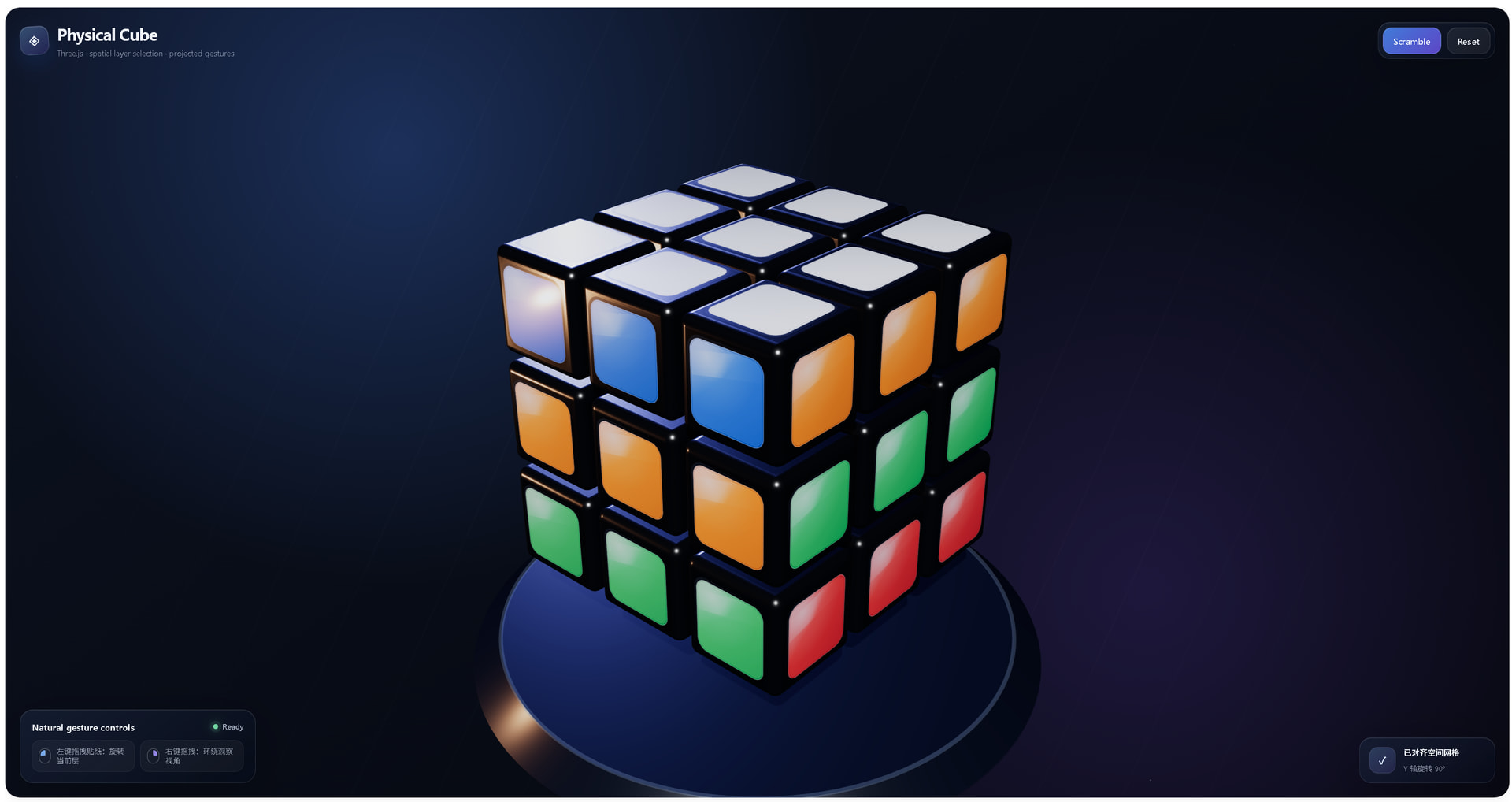
截图如下
<!doctype html>
<html lang="zh-CN">
<head>
<meta charset="utf-8" />
<meta name="viewport" content="width=device-width, initial-scale=1, viewport-fit=cover" />
<title>Physical Rubik's Cube · Three.js</title>
<script type="importmap">
{
"imports": {
"three": "https://unpkg.com/three@0.184.0/build/three.module.js",
"three/addons/": "https://unpkg.com/three@0.184.0/examples/jsm/",
"@tweenjs/tween.js": "https://unpkg.com/@tweenjs/tween.js@25.0.0/dist/tween.esm.js"
}
}
</script>
<style>
:root {
color-scheme: dark;
--text: rgba(247, 250, 255, 0.96);
--muted: rgba(222, 232, 248, 0.62);
--line: rgba(255, 255, 255, 0.12);
--glass: rgba(14, 22, 39, 0.55);
--accent: #83b8ff;
--accent-2: #8e7dff;
}
* { box-sizing: border-box; }
html, body {
width: 100%;
height: 100%;
margin: 0;
overflow: hidden;
background:
radial-gradient(circle at 26% 18%, rgba(69, 126, 239, 0.29), transparent 34%),
radial-gradient(circle at 76% 74%, rgba(112, 74, 211, 0.22), transparent 36%),
linear-gradient(145deg, #0d1323 0%, #080c16 48%, #05070d 100%);
font-family: -apple-system, BlinkMacSystemFont, "Segoe UI", "PingFang SC", "Hiragino Sans GB", Arial, sans-serif;
color: var(--text);
}
body::before {
content: "";
position: fixed;
inset: -20%;
pointer-events: none;
background:
repeating-linear-gradient(118deg, transparent 0 56px, rgba(255,255,255,.018) 57px 58px, transparent 59px 118px);
transform: rotate(-4deg);
mask-image: radial-gradient(circle at center, #000, transparent 72%);
}
#app, #viewport {
position: fixed;
inset: 0;
}
#viewport canvas {
display: block;
width: 100%;
height: 100%;
outline: none;
touch-action: none;
cursor: grab;
}
#viewport canvas.twisting { cursor: grabbing; }
.panel {
background: linear-gradient(145deg, rgba(24, 34, 54, .72), rgba(7, 12, 23, .48));
border: 1px solid var(--line);
box-shadow:
0 18px 70px rgba(0, 0, 0, .28),
inset 0 1px 0 rgba(255, 255, 255, .08);
backdrop-filter: blur(24px) saturate(135%);
-webkit-backdrop-filter: blur(24px) saturate(135%);
}
header {
position: fixed;
z-index: 5;
top: max(22px, env(safe-area-inset-top));
left: max(22px, env(safe-area-inset-left));
right: max(22px, env(safe-area-inset-right));
display: flex;
align-items: center;
justify-content: space-between;
gap: 18px;
pointer-events: none;
}
.brand {
display: flex;
align-items: center;
gap: 13px;
min-width: 0;
}
.logo {
width: 43px;
height: 43px;
display: grid;
place-items: center;
border-radius: 14px;
background: linear-gradient(145deg, rgba(127, 190, 255, .34), rgba(121, 87, 255, .18));
border: 1px solid rgba(255,255,255,.17);
box-shadow: inset 0 1px 0 rgba(255,255,255,.16), 0 12px 32px rgba(37, 91, 193, .22);
font-size: 23px;
transform: rotate(-4deg);
}
.brand-copy { min-width: 0; }
h1 {
margin: 0;
font-size: clamp(18px, 2vw, 25px);
font-weight: 690;
letter-spacing: -0.035em;
white-space: nowrap;
}
.subtitle {
margin-top: 3px;
color: var(--muted);
font-size: 12px;
white-space: nowrap;
}
.actions {
display: flex;
gap: 9px;
padding: 7px;
border-radius: 18px;
pointer-events: auto;
}
button {
appearance: none;
border: 1px solid rgba(255,255,255,.12);
color: var(--text);
border-radius: 13px;
padding: 10px 15px;
font: inherit;
font-size: 13px;
font-weight: 620;
letter-spacing: .01em;
background: rgba(255,255,255,.065);
cursor: pointer;
transition: transform .18s ease, background .18s ease, border-color .18s ease, opacity .18s ease;
box-shadow: inset 0 1px 0 rgba(255,255,255,.08);
}
button.primary {
background: linear-gradient(135deg, rgba(75, 143, 255, .82), rgba(111, 82, 235, .82));
border-color: rgba(173, 204, 255, .34);
}
button:hover:not(:disabled) {
transform: translateY(-1px);
background-color: rgba(255,255,255,.11);
border-color: rgba(255,255,255,.22);
}
button:active:not(:disabled) { transform: translateY(1px) scale(.985); }
button:disabled { opacity: .42; cursor: default; }
.help {
position: fixed;
z-index: 4;
left: max(22px, env(safe-area-inset-left));
bottom: max(22px, env(safe-area-inset-bottom));
width: min(355px, calc(100vw - 44px));
padding: 16px 17px;
border-radius: 20px;
pointer-events: none;
}
.help-title {
display: flex;
align-items: center;
justify-content: space-between;
gap: 12px;
margin-bottom: 11px;
font-size: 13px;
font-weight: 650;
}
.live-dot {
display: inline-flex;
align-items: center;
gap: 7px;
color: rgba(218, 230, 249, .72);
font-size: 11px;
font-weight: 560;
}
.live-dot::before {
content: "";
width: 7px;
height: 7px;
border-radius: 50%;
background: #71d6a2;
box-shadow: 0 0 0 5px rgba(113,214,162,.09), 0 0 16px rgba(113,214,162,.7);
}
.legend {
display: grid;
grid-template-columns: 1fr 1fr;
gap: 8px;
}
.legend-item {
display: flex;
align-items: center;
gap: 9px;
min-width: 0;
padding: 9px 10px;
border: 1px solid rgba(255,255,255,.075);
border-radius: 13px;
background: rgba(255,255,255,.035);
color: var(--muted);
font-size: 11px;
line-height: 1.3;
}
.mouse {
position: relative;
flex: 0 0 auto;
width: 18px;
height: 23px;
border-radius: 9px;
border: 1px solid rgba(255,255,255,.34);
}
.mouse::before {
content: "";
position: absolute;
top: 3px;
left: 50%;
width: 1px;
height: 7px;
background: rgba(255,255,255,.38);
}
.mouse.left::after,
.mouse.right::after {
content: "";
position: absolute;
top: 2px;
width: 7px;
height: 8px;
background: var(--accent);
opacity: .9;
}
.mouse.left::after { left: 2px; border-radius: 7px 0 2px 0; }
.mouse.right::after { right: 2px; border-radius: 0 7px 0 2px; background: #a696ff; }
.status {
position: fixed;
z-index: 4;
right: max(22px, env(safe-area-inset-right));
bottom: max(22px, env(safe-area-inset-bottom));
display: flex;
align-items: center;
gap: 12px;
min-width: 205px;
padding: 13px 15px;
border-radius: 18px;
pointer-events: none;
}
.axis-chip {
width: 39px;
height: 39px;
display: grid;
place-items: center;
border-radius: 12px;
background: linear-gradient(145deg, rgba(130,184,255,.22), rgba(142,125,255,.15));
border: 1px solid rgba(255,255,255,.12);
font-size: 15px;
font-weight: 730;
color: #dbeaff;
}
.status strong {
display: block;
font-size: 12px;
margin-bottom: 3px;
}
.status span {
color: var(--muted);
font-size: 11px;
}
.progress {
position: fixed;
z-index: 6;
inset: 0;
display: grid;
place-items: center;
pointer-events: none;
opacity: 0;
transition: opacity .22s ease;
}
.progress.visible { opacity: 1; }
.progress-pill {
margin-top: 130px;
padding: 9px 13px;
border-radius: 999px;
color: rgba(235, 243, 255, .85);
font-size: 11px;
letter-spacing: .02em;
}
@media (max-width: 720px) {
header { align-items: flex-start; }
.subtitle { display: none; }
.logo { width: 38px; height: 38px; border-radius: 12px; }
.actions { padding: 5px; }
button { padding: 9px 11px; font-size: 12px; }
.help { padding: 13px; }
.status { display: none; }
.legend { grid-template-columns: 1fr; }
.legend-item:nth-child(2) { display: none; }
}
</style>
</head>
<body>
<div id="app">
<div id="viewport" aria-label="可交互 3×3 魔方"></div>
<header>
<div class="brand">
<div class="logo" aria-hidden="true">◈</div>
<div class="brand-copy">
<h1>Physical Cube</h1>
<div class="subtitle">Three.js · spatial layer selection · projected gestures</div>
</div>
</div>
<div class="actions panel" role="group" aria-label="魔方操作">
<button id="scrambleBtn" class="primary" type="button">Scramble</button>
<button id="resetBtn" type="button">Reset</button>
</div>
</header>
<aside class="help panel" aria-label="操作说明">
<div class="help-title">
<span>Natural gesture controls</span>
<span class="live-dot">Ready</span>
</div>
<div class="legend">
<div class="legend-item"><span class="mouse left"></span><span>左键拖拽贴纸:旋转当前层</span></div>
<div class="legend-item"><span class="mouse right"></span><span>右键拖拽:环绕观察视角</span></div>
</div>
</aside>
<div class="status panel" aria-live="polite">
<div id="axisChip" class="axis-chip">—</div>
<div>
<strong id="statusTitle">空间投影手势已就绪</strong>
<span id="statusText">拖动一个可见面开始旋转</span>
</div>
</div>
<div id="progress" class="progress" aria-hidden="true">
<div id="progressText" class="progress-pill panel">正在打乱…</div>
</div>
</div>
<script type="module">
import * as THREE from 'three';
import { OrbitControls } from 'three/addons/controls/OrbitControls.js';
import { RoundedBoxGeometry } from 'three/addons/geometries/RoundedBoxGeometry.js';
import * as TWEEN from '@tweenjs/tween.js';
// -------------------------------------------------------------------------
// Constants / shared state
// -------------------------------------------------------------------------
const HALF_PI = Math.PI / 2;
const CUBIE_SIZE = 0.92; // Centers sit on integer grid; 0.08 creates a physical gap.
const STICKER_SIZE = 0.785;
const STICKER_OFFSET = CUBIE_SIZE / 2 + 0.008;
const EPSILON = 0.18; // World-space layer selection tolerance.
const DRAG_THRESHOLD = 7;
const AXES = {
x: new THREE.Vector3(1, 0, 0),
y: new THREE.Vector3(0, 1, 0),
z: new THREE.Vector3(0, 0, 1)
};
const viewport = document.querySelector('#viewport');
const scrambleBtn = document.querySelector('#scrambleBtn');
const resetBtn = document.querySelector('#resetBtn');
const axisChip = document.querySelector('#axisChip');
const statusTitle = document.querySelector('#statusTitle');
const statusText = document.querySelector('#statusText');
const progress = document.querySelector('#progress');
const progressText = document.querySelector('#progressText');
const scene = new THREE.Scene();
const tweenGroup = new TWEEN.Group(); // Tween.js 25 requires explicit group membership.
scene.fog = new THREE.FogExp2(0x080d18, 0.035);
const camera = new THREE.PerspectiveCamera(35, innerWidth / innerHeight, 0.1, 100);
const INITIAL_CAMERA = new THREE.Vector3(5.8, 4.65, 6.65);
camera.position.copy(INITIAL_CAMERA);
const renderer = new THREE.WebGLRenderer({ antialias: true, alpha: true, powerPreference: 'high-performance' });
renderer.setPixelRatio(Math.min(devicePixelRatio, 2));
renderer.setSize(innerWidth, innerHeight);
renderer.outputColorSpace = THREE.SRGBColorSpace;
renderer.toneMapping = THREE.ACESFilmicToneMapping;
renderer.toneMappingExposure = 1.08;
renderer.shadowMap.enabled = true;
renderer.shadowMap.type = THREE.PCFSoftShadowMap;
viewport.appendChild(renderer.domElement);
const controls = new OrbitControls(camera, renderer.domElement);
controls.target.set(0, 0, 0);
controls.enableDamping = true;
controls.dampingFactor = 0.075;
controls.enablePan = false;
controls.minDistance = 5.2;
controls.maxDistance = 11.5;
controls.minPolarAngle = 0.25;
controls.maxPolarAngle = Math.PI - 0.28;
controls.mouseButtons.LEFT = -1; // Left drag is reserved for layer twists.
controls.mouseButtons.MIDDLE = THREE.MOUSE.DOLLY;
controls.mouseButtons.RIGHT = THREE.MOUSE.ROTATE;
controls.update();
// Soft physically readable lighting. No image/HDR asset is used.
const ambient = new THREE.AmbientLight(0xb7c8ee, 1.6);
scene.add(ambient);
const keyLight = new THREE.DirectionalLight(0xffffff, 4.2);
keyLight.position.set(5.5, 8.5, 6.8);
keyLight.castShadow = true;
keyLight.shadow.mapSize.set(2048, 2048);
keyLight.shadow.camera.left = -6;
keyLight.shadow.camera.right = 6;
keyLight.shadow.camera.top = 6;
keyLight.shadow.camera.bottom = -6;
keyLight.shadow.camera.near = 0.1;
keyLight.shadow.camera.far = 25;
keyLight.shadow.bias = -0.00035;
keyLight.shadow.normalBias = 0.025;
scene.add(keyLight);
const rimLight = new THREE.DirectionalLight(0x788dff, 2.0);
rimLight.position.set(-6, 2.5, -5);
scene.add(rimLight);
const warmFill = new THREE.PointLight(0xffb47e, 15, 12, 2);
warmFill.position.set(-4, -0.5, 4);
scene.add(warmFill);
// Ground + pedestal give the shadow a physical landing surface.
const floor = new THREE.Mesh(
new THREE.PlaneGeometry(80, 80),
new THREE.ShadowMaterial({ color: 0x000000, opacity: 0.34 })
);
floor.rotation.x = -HALF_PI;
floor.position.y = -2.42;
floor.receiveShadow = true;
scene.add(floor);
const pedestal = new THREE.Mesh(
new THREE.CylinderGeometry(2.32, 2.58, 0.22, 96),
new THREE.MeshPhysicalMaterial({
color: 0x111827,
roughness: 0.32,
metalness: 0.26,
clearcoat: 0.75,
clearcoatRoughness: 0.22
})
);
pedestal.position.y = -2.28;
pedestal.receiveShadow = true;
pedestal.castShadow = true;
scene.add(pedestal);
const pedestalRing = new THREE.Mesh(
new THREE.TorusGeometry(2.32, 0.018, 12, 128),
new THREE.MeshBasicMaterial({ color: 0x6e90d8, transparent: true, opacity: 0.45 })
);
pedestalRing.rotation.x = HALF_PI;
pedestalRing.position.y = -2.16;
scene.add(pedestalRing);
// Procedural dust points; still zero external assets.
const dustGeometry = new THREE.BufferGeometry();
const dustPositions = [];
for (let i = 0; i < 150; i++) {
const radius = 5 + Math.random() * 10;
const angle = Math.random() * Math.PI * 2;
dustPositions.push(
Math.cos(angle) * radius,
-1 + Math.random() * 9,
Math.sin(angle) * radius
);
}
dustGeometry.setAttribute('position', new THREE.Float32BufferAttribute(dustPositions, 3));
const dust = new THREE.Points(
dustGeometry,
new THREE.PointsMaterial({ color: 0x91baff, size: 0.018, transparent: true, opacity: 0.32, depthWrite: false })
);
scene.add(dust);
const raycaster = new THREE.Raycaster();
const pointerNDC = new THREE.Vector2();
const tempWorld = new THREE.Vector3();
const tempNormalMatrix = new THREE.Matrix3();
const cubies = [];
let bodyGeometry;
let bodyMaterial;
let stickerGeometry;
let stickerMaterials;
let activePivot = null;
let activeTween = null;
let isBusy = false;
let moveQueue = [];
let completedQueueMoves = 0;
let totalQueueMoves = 0;
const gesture = {
active: false,
pointerId: null,
start: new THREE.Vector2(),
current: new THREE.Vector2(),
hitPoint: new THREE.Vector3(),
faceNormal: new THREE.Vector3(),
cubie: null,
axisName: null,
layerCoord: 0,
pixelsPerRadian: new THREE.Vector2(),
angle: 0,
selected: []
};
// -------------------------------------------------------------------------
// Canvas sticker textures
// -------------------------------------------------------------------------
function roundedRectPath(ctx, x, y, w, h, r) {
const rr = Math.min(r, w / 2, h / 2);
ctx.beginPath();
ctx.moveTo(x + rr, y);
ctx.arcTo(x + w, y, x + w, y + h, rr);
ctx.arcTo(x + w, y + h, x, y + h, rr);
ctx.arcTo(x, y + h, x, y, rr);
ctx.arcTo(x, y, x + w, y, rr);
ctx.closePath();
}
function mixHex(hex, amount) {
const c = new THREE.Color(hex);
amount >= 0 ? c.lerp(new THREE.Color(0xffffff), amount) : c.lerp(new THREE.Color(0x000000), -amount);
return `#${c.getHexString()}`;
}
function createStickerTexture(colorHex) {
const size = 512;
const canvas = document.createElement('canvas');
canvas.width = canvas.height = size;
const ctx = canvas.getContext('2d');
ctx.clearRect(0, 0, size, size);
// Dark rounded backing creates the realistic plastic lip around the sticker.
ctx.save();
ctx.shadowColor = 'rgba(0,0,0,.65)';
ctx.shadowBlur = 22;
ctx.shadowOffsetY = 13;
roundedRectPath(ctx, 22, 22, 468, 468, 78);
const backing = ctx.createLinearGradient(20, 10, 492, 510);
backing.addColorStop(0, '#20242b');
backing.addColorStop(0.45, '#090b0f');
backing.addColorStop(1, '#020305');
ctx.fillStyle = backing;
ctx.fill();
ctx.restore();
// Colored sticker with subtle material falloff.
roundedRectPath(ctx, 38, 38, 436, 436, 66);
const base = ctx.createLinearGradient(62, 42, 454, 478);
base.addColorStop(0, mixHex(colorHex, 0.26));
base.addColorStop(0.38, colorHex);
base.addColorStop(1, mixHex(colorHex, -0.28));
ctx.fillStyle = base;
ctx.fill();
ctx.save();
roundedRectPath(ctx, 38, 38, 436, 436, 66);
ctx.clip();
const glow = ctx.createRadialGradient(142, 112, 0, 142, 112, 290);
glow.addColorStop(0, 'rgba(255,255,255,.42)');
glow.addColorStop(0.42, 'rgba(255,255,255,.10)');
glow.addColorStop(1, 'rgba(255,255,255,0)');
ctx.fillStyle = glow;
ctx.fillRect(38, 38, 436, 436);
// A soft diagonal clear-coat highlight.
const sheen = ctx.createLinearGradient(40, 70, 455, 390);
sheen.addColorStop(0, 'rgba(255,255,255,.02)');
sheen.addColorStop(0.38, 'rgba(255,255,255,.18)');
sheen.addColorStop(0.48, 'rgba(255,255,255,.035)');
sheen.addColorStop(1, 'rgba(255,255,255,0)');
ctx.fillStyle = sheen;
ctx.transform(1, -0.22, 0.12, 1, -45, 56);
ctx.fillRect(25, 70, 520, 120);
ctx.restore();
// Crisp edge and tiny lower bevel line.
roundedRectPath(ctx, 38.5, 38.5, 435, 435, 65);
ctx.lineWidth = 4;
ctx.strokeStyle = 'rgba(255,255,255,.24)';
ctx.stroke();
roundedRectPath(ctx, 43, 43, 426, 426, 61);
ctx.lineWidth = 5;
ctx.strokeStyle = 'rgba(0,0,0,.17)';
ctx.stroke();
const texture = new THREE.CanvasTexture(canvas);
texture.colorSpace = THREE.SRGBColorSpace;
texture.anisotropy = renderer.capabilities.getMaxAnisotropy();
texture.minFilter = THREE.LinearMipmapLinearFilter;
texture.magFilter = THREE.LinearFilter;
return texture;
}
function createSharedResources() {
bodyGeometry = new RoundedBoxGeometry(CUBIE_SIZE, CUBIE_SIZE, CUBIE_SIZE, 6, 0.085);
bodyMaterial = new THREE.MeshPhysicalMaterial({
color: 0x07090d,
roughness: 0.23,
metalness: 0.015,
clearcoat: 1,
clearcoatRoughness: 0.16,
reflectivity: 0.78
});
stickerGeometry = new THREE.PlaneGeometry(STICKER_SIZE, STICKER_SIZE);
const colors = {
px: '#e53935', // right - red
nx: '#ff7a1a', // left - orange
py: '#f3f5f7', // top - white
ny: '#ffd21f', // bottom - yellow
pz: '#21b95b', // front - green
nz: '#2575e6' // back - blue
};
stickerMaterials = Object.fromEntries(
Object.entries(colors).map(([key, color]) => {
const material = new THREE.MeshPhysicalMaterial({
map: createStickerTexture(color),
transparent: true,
alphaTest: 0.025,
roughness: 0.29,
metalness: 0,
clearcoat: 1,
clearcoatRoughness: 0.09,
side: THREE.FrontSide,
polygonOffset: true,
polygonOffsetFactor: -1,
polygonOffsetUnits: -1
});
return [key, material];
})
);
}
function addSticker(cubie, materialKey, position, rotation) {
const sticker = new THREE.Mesh(stickerGeometry, stickerMaterials[materialKey]);
sticker.position.copy(position);
sticker.rotation.set(rotation.x, rotation.y, rotation.z);
sticker.receiveShadow = true;
sticker.userData.isSticker = true;
cubie.add(sticker);
}
function createCubie(x, y, z) {
const cubie = new THREE.Group();
cubie.name = `Cubie(${x},${y},${z})`;
cubie.userData.isCubie = true;
cubie.userData.home = new THREE.Vector3(x, y, z);
cubie.position.set(x, y, z);
const body = new THREE.Mesh(bodyGeometry, bodyMaterial);
body.castShadow = true;
body.receiveShadow = true;
body.userData.isCubieBody = true;
cubie.add(body);
if (x === 1) addSticker(cubie, 'px', new THREE.Vector3(STICKER_OFFSET, 0, 0), new THREE.Euler(0, HALF_PI, 0));
if (x === -1) addSticker(cubie, 'nx', new THREE.Vector3(-STICKER_OFFSET, 0, 0), new THREE.Euler(0, -HALF_PI, 0));
if (y === 1) addSticker(cubie, 'py', new THREE.Vector3(0, STICKER_OFFSET, 0), new THREE.Euler(-HALF_PI, 0, 0));
if (y === -1) addSticker(cubie, 'ny', new THREE.Vector3(0, -STICKER_OFFSET, 0), new THREE.Euler(HALF_PI, 0, 0));
if (z === 1) addSticker(cubie, 'pz', new THREE.Vector3(0, 0, STICKER_OFFSET), new THREE.Euler(0, 0, 0));
if (z === -1) addSticker(cubie, 'nz', new THREE.Vector3(0, 0, -STICKER_OFFSET), new THREE.Euler(0, Math.PI, 0));
scene.add(cubie);
cubies.push(cubie);
}
function buildSolvedCube() {
for (let x = -1; x <= 1; x++) {
for (let y = -1; y <= 1; y++) {
for (let z = -1; z <= 1; z++) createCubie(x, y, z);
}
}
scene.updateMatrixWorld(true);
}
// -------------------------------------------------------------------------
// Dynamic layer selection + Pivot transform
// -------------------------------------------------------------------------
function selectLayerByWorldPosition(axisName, layerCoord) {
// No fixed indices or state cube: every move derives membership from live world positions.
scene.updateMatrixWorld(true);
return cubies.filter(cubie => {
cubie.getWorldPosition(tempWorld);
return Math.abs(tempWorld[axisName] - layerCoord) < EPSILON;
});
}
function createPivotForLayer(axisName, layerCoord) {
const selected = selectLayerByWorldPosition(axisName, layerCoord);
const pivot = new THREE.Object3D();
pivot.name = `TemporaryPivot(${axisName}:${layerCoord})`;
scene.add(pivot);
scene.updateMatrixWorld(true);
// Pivot mechanism: attach() preserves each Cubie's world transform while re-parenting.
// The layer is then rotated as one rigid body. At the end, scene.attach() restores the
// Cubies as direct scene children without manual quaternion multiplication.
selected.forEach(cubie => pivot.attach(cubie));
pivot.updateMatrixWorld(true);
return { pivot, selected };
}
function snapQuarterTurn(angle) {
return Math.round(angle / HALF_PI) * HALF_PI;
}
function cleanCubieTransforms() {
// Required numerical cleanup. Positions snap to the integer spatial lattice; Euler angles
// snap via Math.round to exact 90° multiples, eliminating accumulated floating-point drift.
cubies.forEach(cubie => {
cubie.position.set(
Math.round(cubie.position.x),
Math.round(cubie.position.y),
Math.round(cubie.position.z)
);
cubie.rotation.set(
Math.round(cubie.rotation.x / HALF_PI) * HALF_PI,
Math.round(cubie.rotation.y / HALF_PI) * HALF_PI,
Math.round(cubie.rotation.z / HALF_PI) * HALF_PI,
'XYZ'
);
cubie.updateMatrix();
cubie.updateMatrixWorld(true);
});
}
function finalizePivot(pivot, selected) {
pivot.updateMatrixWorld(true);
selected.forEach(cubie => scene.attach(cubie));
scene.remove(pivot);
cleanCubieTransforms();
activePivot = null;
}
// -------------------------------------------------------------------------
// Projected gesture recognition
// -------------------------------------------------------------------------
function eventToNDC(event) {
const rect = renderer.domElement.getBoundingClientRect();
pointerNDC.x = ((event.clientX - rect.left) / rect.width) * 2 - 1;
pointerNDC.y = -((event.clientY - rect.top) / rect.height) * 2 + 1;
return pointerNDC;
}
function findCubieAncestor(object) {
let node = object;
while (node && !node.userData.isCubie) node = node.parent;
return node || null;
}
function quantizeNormal(normal) {
const ax = Math.abs(normal.x);
const ay = Math.abs(normal.y);
const az = Math.abs(normal.z);
if (ax >= ay && ax >= az) return new THREE.Vector3(Math.sign(normal.x) || 1, 0, 0);
if (ay >= ax && ay >= az) return new THREE.Vector3(0, Math.sign(normal.y) || 1, 0);
return new THREE.Vector3(0, 0, Math.sign(normal.z) || 1);
}
function worldToScreen(worldPoint) {
const rect = renderer.domElement.getBoundingClientRect();
const projected = worldPoint.clone().project(camera);
return new THREE.Vector2(
(projected.x * 0.5 + 0.5) * rect.width,
(-projected.y * 0.5 + 0.5) * rect.height
);
}
function projectedAngularVelocity(axis, point) {
// For an infinitesimal positive rotation, dp/dθ = axis × radialVector.
// Projecting that 3D velocity into screen pixels gives both magnitude (px/radian)
// and sign. This is the physically correct form of the “project candidate axes” test:
// the candidate axis is evaluated through the screen motion it actually produces.
const radial = point.clone().sub(axis.clone().multiplyScalar(point.dot(axis)));
const velocity = new THREE.Vector3().crossVectors(axis, radial);
const epsilonAngle = 0.01;
const p0 = worldToScreen(point);
const p1 = worldToScreen(point.clone().addScaledVector(velocity, epsilonAngle));
return p1.sub(p0).multiplyScalar(1 / epsilonAngle); // screen pixels per radian
}
function candidateAxisNames(faceNormal) {
return Object.keys(AXES).filter(name => Math.abs(AXES[name].dot(faceNormal)) < 0.5);
}
function lockGestureAxis(dragVector) {
const dragDir = dragVector.clone().normalize();
let best = null;
for (const axisName of candidateAxisNames(gesture.faceNormal)) {
const pxVelocity = projectedAngularVelocity(AXES[axisName], gesture.hitPoint);
if (pxVelocity.lengthSq() < 4) continue;
const score = Math.abs(dragDir.dot(pxVelocity.clone().normalize()));
if (!best || score > best.score) best = { axisName, score, pxVelocity };
}
if (!best) return false;
gesture.axisName = best.axisName;
gesture.pixelsPerRadian.copy(best.pxVelocity);
gesture.cubie.getWorldPosition(tempWorld);
gesture.layerCoord = Math.round(tempWorld[best.axisName]);
const { pivot, selected } = createPivotForLayer(gesture.axisName, gesture.layerCoord);
activePivot = pivot;
gesture.selected = selected;
renderer.domElement.classList.add('twisting');
axisChip.textContent = gesture.axisName.toUpperCase();
statusTitle.textContent = `${gesture.axisName.toUpperCase()} 轴 · ${gesture.layerCoord > 0 ? '+' : ''}${gesture.layerCoord} 层`;
statusText.textContent = '实时跟手中 · 松开后磁吸至 90°';
return true;
}
function hitTest(event) {
raycaster.setFromCamera(eventToNDC(event), camera);
const hits = raycaster.intersectObjects(cubies, true);
if (!hits.length) return null;
const hit = hits[0];
const cubie = findCubieAncestor(hit.object);
if (!cubie || !hit.face) return null;
tempNormalMatrix.getNormalMatrix(hit.object.matrixWorld);
const worldNormal = hit.face.normal.clone().applyMatrix3(tempNormalMatrix).normalize();
return { cubie, point: hit.point.clone(), normal: quantizeNormal(worldNormal) };
}
function onPointerDown(event) {
if (isBusy || gesture.active || event.button !== 0) return;
const hit = hitTest(event);
if (!hit) return;
event.preventDefault();
event.stopPropagation();
renderer.domElement.setPointerCapture(event.pointerId);
controls.enabled = false;
gesture.active = true;
gesture.pointerId = event.pointerId;
gesture.start.set(event.clientX, event.clientY);
gesture.current.copy(gesture.start);
gesture.hitPoint.copy(hit.point);
gesture.faceNormal.copy(hit.normal);
gesture.cubie = hit.cubie;
gesture.axisName = null;
gesture.angle = 0;
gesture.selected = [];
statusTitle.textContent = '已捕获表面法线';
statusText.textContent = `法线 (${hit.normal.x}, ${hit.normal.y}, ${hit.normal.z}) · 继续拖动判断意图`;
}
function onPointerMove(event) {
if (!gesture.active || event.pointerId !== gesture.pointerId) return;
event.preventDefault();
gesture.current.set(event.clientX, event.clientY);
const delta = gesture.current.clone().sub(gesture.start);
if (!gesture.axisName) {
if (delta.length() < DRAG_THRESHOLD) return;
if (!lockGestureAxis(delta)) return;
}
// Least-squares projection onto the positive angular screen velocity. This yields
// a direct 1:1 angle: the clicked point tries to follow the cursor in screen space.
// Because the velocity comes from axis × radialVector, front/back/top signs correct
// themselves automatically instead of relying on fragile face-specific if/else rules.
const denom = gesture.pixelsPerRadian.lengthSq();
gesture.angle = denom > 1e-6 ? delta.dot(gesture.pixelsPerRadian) / denom : 0;
gesture.angle = THREE.MathUtils.clamp(gesture.angle, -Math.PI * 2.5, Math.PI * 2.5);
activePivot.rotation[gesture.axisName] = gesture.angle;
activePivot.updateMatrixWorld(true);
statusText.textContent = `实时角度 ${THREE.MathUtils.radToDeg(gesture.angle).toFixed(1)}°`;
}
function resetGestureState() {
gesture.active = false;
gesture.pointerId = null;
gesture.cubie = null;
gesture.axisName = null;
gesture.selected = [];
renderer.domElement.classList.remove('twisting');
}
function tweenPivotTo(axisName, fromAngle, targetAngle, pivot, selected, duration, onComplete) {
const state = { angle: fromAngle };
isBusy = true;
controls.enabled = false;
setButtonsDisabled(true);
activeTween = new TWEEN.Tween(state, tweenGroup)
.to({ angle: targetAngle }, duration)
.easing(TWEEN.Easing.Back.Out)
.onUpdate(() => {
pivot.rotation[axisName] = state.angle;
pivot.updateMatrixWorld(true);
statusText.textContent = `磁吸对齐 ${THREE.MathUtils.radToDeg(state.angle).toFixed(1)}°`;
})
.onComplete(() => {
activeTween = null;
pivot.rotation[axisName] = targetAngle;
pivot.updateMatrixWorld(true);
finalizePivot(pivot, selected);
isBusy = false;
controls.enabled = true;
setButtonsDisabled(false);
axisChip.textContent = '✓';
statusTitle.textContent = '已对齐空间网格';
statusText.textContent = `${axisName.toUpperCase()} 轴旋转 ${Math.round(THREE.MathUtils.radToDeg(targetAngle))}°`;
onComplete?.();
})
.start();
}
function onPointerUp(event) {
if (!gesture.active || event.pointerId !== gesture.pointerId) return;
event.preventDefault();
try { renderer.domElement.releasePointerCapture(event.pointerId); } catch (_) {}
if (!gesture.axisName || !activePivot) {
controls.enabled = true;
resetGestureState();
axisChip.textContent = '—';
statusTitle.textContent = '空间投影手势已就绪';
statusText.textContent = '拖动一个可见面开始旋转';
return;
}
const axisName = gesture.axisName;
const fromAngle = gesture.angle;
const targetAngle = snapQuarterTurn(fromAngle);
const pivot = activePivot;
const selected = [...gesture.selected];
const distance = Math.abs(targetAngle - fromAngle);
const duration = THREE.MathUtils.clamp(150 + distance * 135, 160, 390);
resetGestureState();
tweenPivotTo(axisName, fromAngle, targetAngle, pivot, selected, duration);
}
function onPointerCancel(event) {
if (gesture.active && event.pointerId === gesture.pointerId) onPointerUp(event);
}
// Capture phase prevents OrbitControls from consuming a left/touch press that starts on a Cubie.
renderer.domElement.addEventListener('pointerdown', onPointerDown, { capture: true });
renderer.domElement.addEventListener('pointermove', onPointerMove, { passive: false });
renderer.domElement.addEventListener('pointerup', onPointerUp, { passive: false });
renderer.domElement.addEventListener('pointercancel', onPointerCancel, { passive: false });
renderer.domElement.addEventListener('contextmenu', event => event.preventDefault());
// -------------------------------------------------------------------------
// Scramble / Reset
// -------------------------------------------------------------------------
function setButtonsDisabled(disabled) {
scrambleBtn.disabled = disabled;
resetBtn.disabled = false; // Reset remains an emergency stop at all times.
}
function animateQueuedMove(move) {
const { axisName, layerCoord, turns } = move;
const { pivot, selected } = createPivotForLayer(axisName, layerCoord);
activePivot = pivot;
const state = { angle: 0 };
const target = turns * HALF_PI;
isBusy = true;
controls.enabled = false;
setButtonsDisabled(true);
completedQueueMoves++;
progressText.textContent = `正在打乱 ${completedQueueMoves} / ${totalQueueMoves}`;
activeTween = new TWEEN.Tween(state, tweenGroup)
.to({ angle: target }, 115)
.easing(TWEEN.Easing.Cubic.InOut)
.onUpdate(() => {
pivot.rotation[axisName] = state.angle;
pivot.updateMatrixWorld(true);
})
.onComplete(() => {
activeTween = null;
pivot.rotation[axisName] = target;
pivot.updateMatrixWorld(true);
finalizePivot(pivot, selected);
runNextQueuedMove();
})
.start();
}
function runNextQueuedMove() {
if (!moveQueue.length) {
isBusy = false;
controls.enabled = true;
setButtonsDisabled(false);
progress.classList.remove('visible');
axisChip.textContent = '✦';
statusTitle.textContent = 'Scramble 完成';
statusText.textContent = `${totalQueueMoves} 次随机四分之一转`;
return;
}
animateQueuedMove(moveQueue.shift());
}
function generateScramble(count = 22) {
const names = ['x', 'y', 'z'];
const layers = [-1, 1];
const result = [];
let previous = null;
while (result.length < count) {
const move = {
axisName: names[Math.floor(Math.random() * names.length)],
layerCoord: layers[Math.floor(Math.random() * layers.length)],
turns: Math.random() < 0.5 ? -1 : 1
};
if (previous && previous.axisName === move.axisName && previous.layerCoord === move.layerCoord) continue;
result.push(move);
previous = move;
}
return result;
}
function cancelAllMotion() {
activeTween?.stop();
activeTween = null;
moveQueue = [];
tweenGroup.removeAll();
resetGestureState();
controls.enabled = true;
isBusy = false;
// Cubies may currently live under a partially rotated Pivot. Reset simply discards that
// transient hierarchy and rebuilds the solved spatial lattice from the shared resources.
cubies.forEach(cubie => cubie.parent?.remove(cubie));
cubies.length = 0;
if (activePivot) {
activePivot.clear();
scene.remove(activePivot);
activePivot = null;
}
}
function resetCube() {
cancelAllMotion();
buildSolvedCube();
camera.position.copy(INITIAL_CAMERA);
controls.target.set(0, 0, 0);
controls.update();
progress.classList.remove('visible');
setButtonsDisabled(false);
axisChip.textContent = '↺';
statusTitle.textContent = '已恢复完成态';
statusText.textContent = '27 个 Cubies 已回到整数空间坐标';
}
scrambleBtn.addEventListener('click', () => {
if (isBusy) return;
moveQueue = generateScramble(22);
totalQueueMoves = moveQueue.length;
completedQueueMoves = 0;
progress.classList.add('visible');
axisChip.textContent = '…';
statusTitle.textContent = '正在执行随机层转动';
statusText.textContent = '每一步仍使用世界坐标筛层与 Pivot.attach';
runNextQueuedMove();
});
resetBtn.addEventListener('click', resetCube);
// -------------------------------------------------------------------------
// Resize / render loop
// -------------------------------------------------------------------------
function onResize() {
camera.aspect = innerWidth / innerHeight;
camera.updateProjectionMatrix();
renderer.setPixelRatio(Math.min(devicePixelRatio, 2));
renderer.setSize(innerWidth, innerHeight);
}
addEventListener('resize', onResize);
function render(time) {
requestAnimationFrame(render);
tweenGroup.update(time, false); // Remove completed tweens from the explicit group.
controls.update();
dust.rotation.y = time * 0.000018;
pedestalRing.material.opacity = 0.38 + Math.sin(time * 0.0011) * 0.08;
renderer.render(scene, camera);
}
createSharedResources();
buildSolvedCube();
requestAnimationFrame(render);
</script>
</body>
</html>