(\ _ /)
( ・-・)
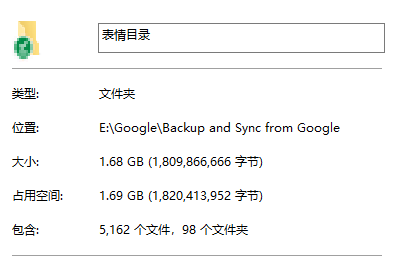
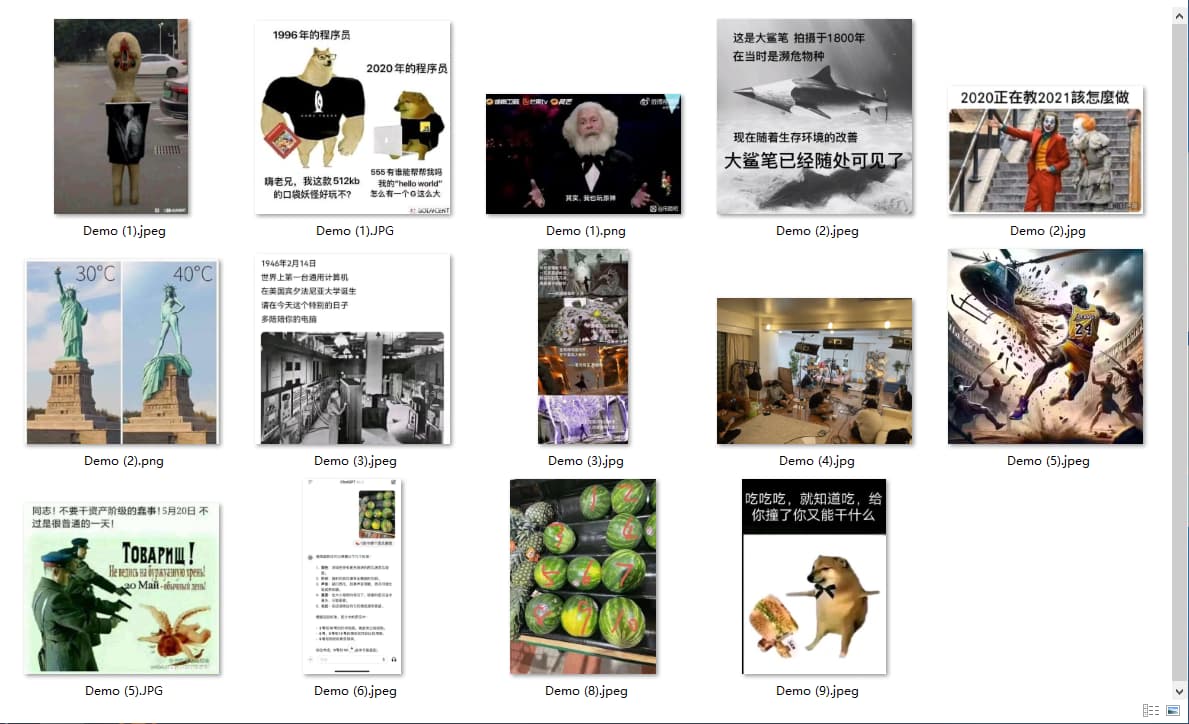
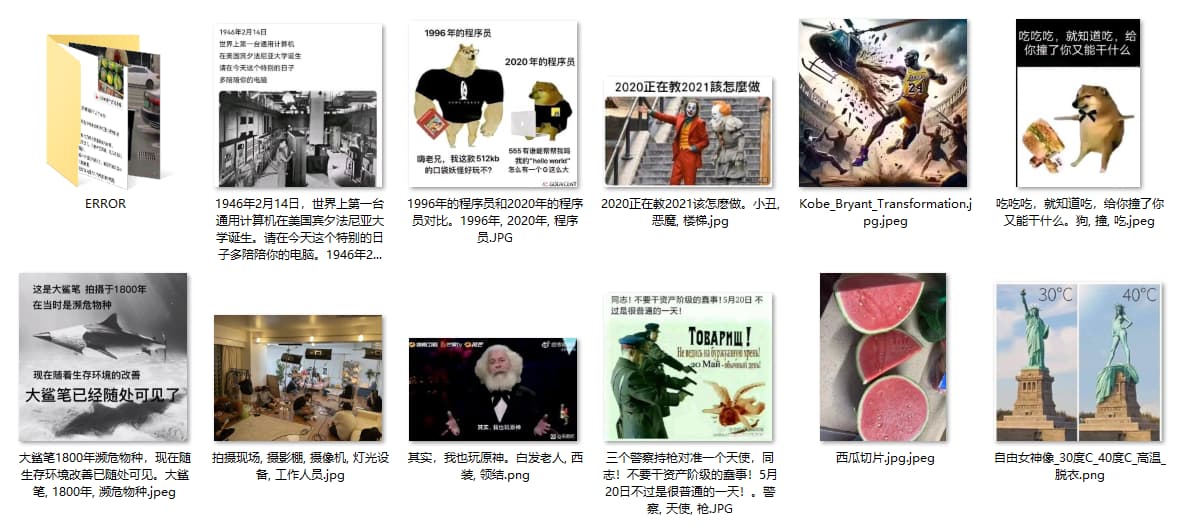
/っ  就,经常会顺手从贴吧、QQ、公众号等地方随手存图,堆多了有空就重命名丢同步盘。但数量多了碳基生物就麻了。
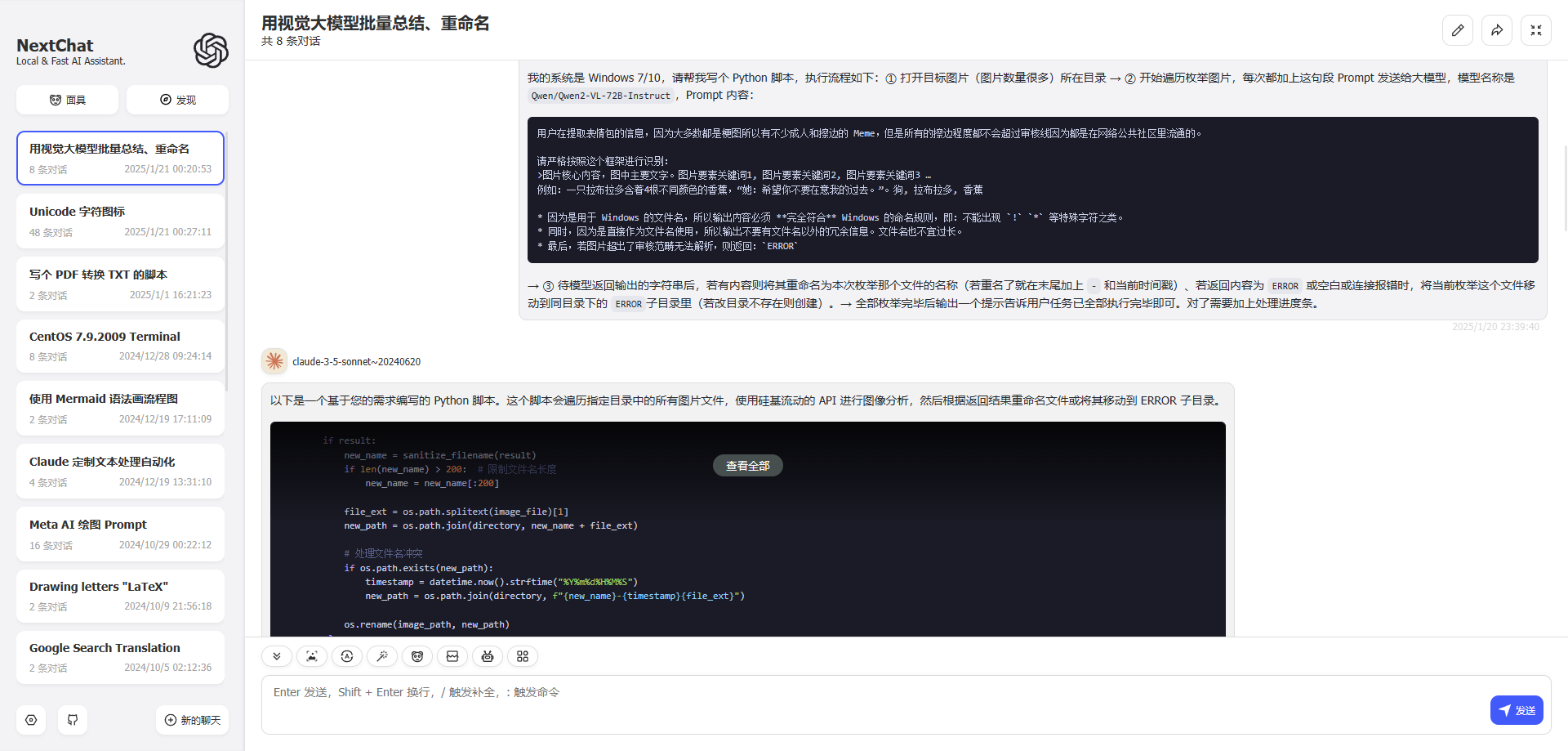
所以让 Claude 搓了一个半自动的。我看不懂,但 实测能用。
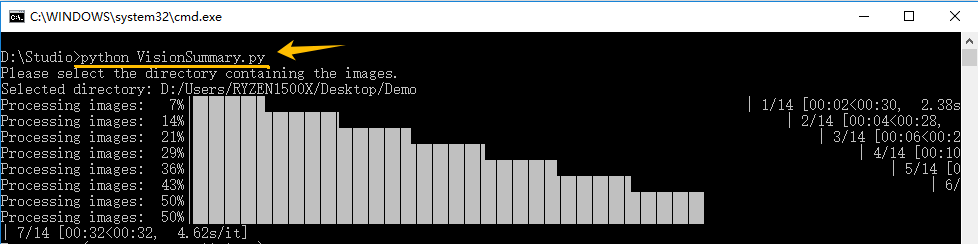
用法  就一行。 初次运行缺失组件报错就贴到大模型装好组件就行。
有些儿童不宜、掉 San、或字符过载总之出错的图片会移动到 ERROR 目录。
大模型一般 Get 不到梗,但作为关键字搜索可以的了。
Python 脚本
VisionSummary.py
import os
import requests
import time
from tqdm import tqdm
from datetime import datetime
import tkinter as tk
from tkinter import filedialog
import base64

# 硅基流动 API 配置
url = "https://api.siliconflow.cn/v1/chat/completions"
headers = {
    "Authorization": "Bearer sk-fuoztwvmffajgnfbyvxjoeeabfhuoflicnvshfnalsdflfzv",
    "Content-Type": "application/json"
}

# 自定义 prompt
custom_prompt = """
用户在提取表情包的信息,因为大多数都是梗图所以有不少成人和擦边的 Meme,但是所有的擦边程度都不会超过审核线因为都是在网络公共社区里流通的。

请严格按照这个框架进行识别:
>图片核心内容,图中主要文字。图片要素关键词1, 图片要素关键词2, 图片要素关键词3 …
例如:一只拉布拉多含着4根不同颜色的香蕉,"她:希望你不要在意我的过去。"。狗, 拉布拉多, 香蕉

* 因为是用于 Windows 的文件名,所以输出内容必须 **完全符合** Windows 的命名规则,即:不能出现 `!` `*` 等特殊字符之类。
* 同时,因为是直接作为文件名使用,所以输出不要有文件名以外的冗余信息。文件名也不宜过长。
* 最后,若图片超出了审核范畴无法解析,则返回:`ERROR`
"""

def analyze_image(image_path):
    try:
        with open(image_path, "rb") as image_file:
            image_data = image_file.read()

        image_base64 = base64.b64encode(image_data).decode('utf-8')

        payload = {
            "model": "Qwen/Qwen2-VL-72B-Instruct",
            "messages": [
                {
                    "role": "user",
                    "content": [
                        {
                            "type": "image_url",
                            "image_url": {
                                "url": f"data:image/jpeg;base64,{image_base64}",
                                "detail": "auto"
                            }
                        },
                        {
                            "type": "text",
                            "text": custom_prompt
                        }
                    ]
                }
            ],
            "stream": False,
            "max_tokens": 512,
            "temperature": 0.7,
            "top_p": 0.7,
            "top_k": 50,
            "frequency_penalty": 0.5,
            "n": 1,
            "response_format": {"type": "text"}
        }

        response = requests.post(url, json=payload, headers=headers)
        response.raise_for_status()
        result = response.json()["choices"][0]["message"]["content"].strip()
        return result if result and result != "ERROR" else None
    except Exception as e:
        print(f"Error processing {image_path}: {str(e)}")
        return None

def sanitize_filename(filename):
    # 移除或替换 Windows 不允许的字符
    invalid_chars = '<>:"/\\|?*'
    for char in invalid_chars:
        filename = filename.replace(char, '')
    return filename.strip()[:200]  # 限制文件名长度为200字符

def process_images(directory):
    error_dir = os.path.join(directory, "ERROR")
    if not os.path.exists(error_dir):
        os.makedirs(error_dir)

    image_extensions = ('.png', '.jpg', '.jpeg', '.gif', '.bmp')
    image_files = [f for f in os.listdir(directory) if f.lower().endswith(image_extensions)]

    for image_file in tqdm(image_files, desc="Processing images"):
        try:
            image_path = os.path.join(directory, image_file)
            result = analyze_image(image_path)

            if result:
                new_name = sanitize_filename(result)
                file_ext = os.path.splitext(image_file)[1]
                new_path = os.path.join(directory, new_name + file_ext)

                # 处理文件名冲突
                if os.path.exists(new_path):
                    timestamp = datetime.now().strftime("%Y%m%d%H%M%S")
                    new_path = os.path.join(directory, f"{new_name}-{timestamp}{file_ext}")

                os.rename(image_path, new_path)
            else:
                # 如果分析失败或返回空结果,移动到 ERROR 目录
                error_path = os.path.join(error_dir, image_file)
                os.rename(image_path, error_path)
        except Exception as e:
            print(f"Error processing {image_file}: {str(e)}")
            try:
                # 尝试移动到 ERROR 目录
                error_path = os.path.join(error_dir, image_file)
                os.rename(os.path.join(directory, image_file), error_path)
            except Exception as move_error:
                print(f"Failed to move {image_file} to ERROR directory: {str(move_error)}")

    print("All images have been processed.")

if __name__ == "__main__":
    root = tk.Tk()
    root.withdraw()  # 隐藏主窗口

    print("Please select the directory containing the images.")
    target_directory = filedialog.askdirectory(title="Select Directory")

    if target_directory:
        print(f"Selected directory: {target_directory}")
        process_images(target_directory)
    else:
        print("No directory selected. Exiting.")
Key 直接硬编码到里面了不用注释,因为






 ,倒是很应景
 免费的全都接入 one api 了哇,包括可以 edu 嫖的 Azure、Monica、Pplx,和 gcp 那些。