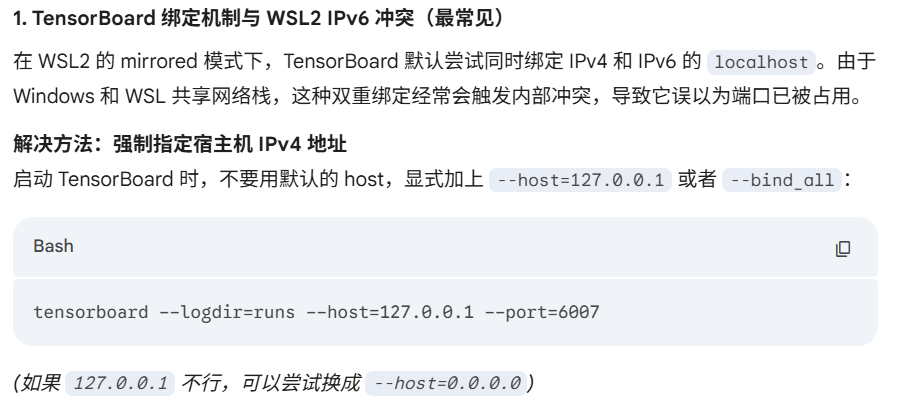
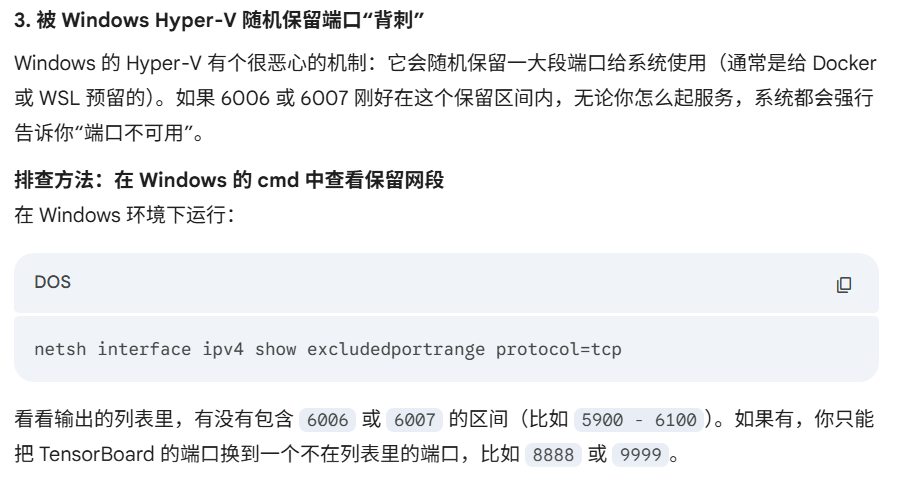
Amazing啊!好奇怪的端口占用问题但是找不到占用的进程…
和这个帖子似乎类似:
我在 win11 的 WSL2 下试图开启 tensorbroad:
tensorboard --logdir runs/
/home/xxxx/projects/.venv/lib/python3.11/site-packages/tensorboard/default.py:30: UserWarning: pkg_resources is deprecated as an API. See https://setuptools.pypa.io/en/latest/pkg_resources.html. The pkg_resources package is slated for removal as early as 2025-11-30. Refrain from using this package or pin to Setuptools<81.
  import pkg_resources
TensorFlow installation not found - running with reduced feature set.

NOTE: Using experimental fast data loading logic. To disable, pass
    "--load_fast=false" and report issues on GitHub. More details:
    https://github.com/tensorflow/tensorboard/issues/4784

Address already in use
Port 6006 is in use by another program. Either identify and stop that program, or start the server with a different port.
然而却无法排查到占用进程:
lsof -i:6006
<无任何输出>
曾经我重启过电脑之后好了  但还是想知道此事如何发生。
BTW,不知为何,更换端口不一定有用:
tensorboard --logdir runs/ --port=6007
/home/xxxx/projects/.venv/lib/python3.11/site-packages/tensorboard/default.py:30: UserWarning: pkg_resources is deprecated as an API. See https://setuptools.pypa.io/en/latest/pkg_resources.html. The pkg_resources package is slated for removal as early as 2025-11-30. Refrain from using this package or pin to Setuptools<81.
  import pkg_resources
TensorFlow installation not found - running with reduced feature set.

NOTE: Using experimental fast data loading logic. To disable, pass
    "--load_fast=false" and report issues on GitHub. More details:
    https://github.com/tensorflow/tensorboard/issues/4784

Address already in use
Port 6007 is in use by another program. Either identify and stop that program, or start the server with a different port.